
Sonic Radar
Four-microphone direction finding: a radar of where sound comes from, on the phone and the glasses, with the compass streamed by default.
Find it: Home › Sonic Radar
Direction and speech
Glasses microphone array
Interactive HTML app view · Play the full walkthrough ↗
Compare the visual reference
Reviewed sample screenshot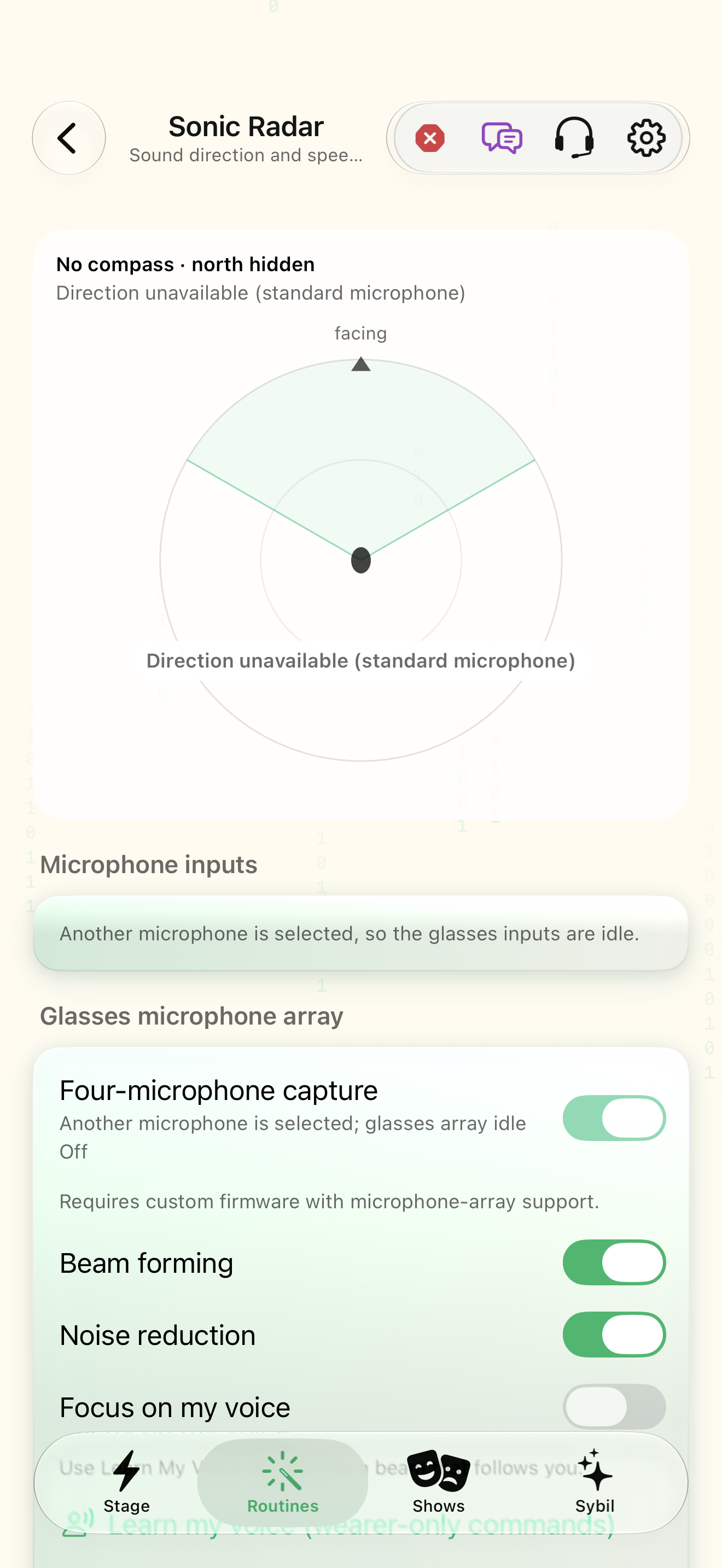
Captured with synthetic content on app build 0.9.1 (260723.1), compiled from reviewed source. Your edition, device, and build can change what appears.
Find: Sonic Radar
Find Sonic Radar
Open Home › Sonic Radar. Four-microphone direction finding: a radar of where sound comes from, on the phone and the glasses, with the compass streamed by default. Check: Identify the title and controls before beginning.
Go at your own pace. This does not operate the app.
Text is always available. Narration uses a local browser voice when available.
Learn a complete workflow
Connect an integration and discover the rest of the app ↗
Explore tones, music, and sound tools ↗
Configure microphone inputs and Sonic Radar ↗
What you’ll find
- Radar
- Array status
- Beamforming and compass controls
About this guide
Generated from the app’s maintained help catalog. This is a guided reference, not a device-verified recording. The interactive studio provides separate fictional practice examples.
Source: SybilSight/Services/AppAgent/AppAgentKnowledge.swift · Catalog 892fdd7c1507
Something doesn’t match your app?Settings, in plain language.
Compass stream
Stream the glasses compass heading to the phone (on by default).
Compass interval
Milliseconds between compass samples.
Listening direction
Where the glasses microphone array listens: auto (follow the talker, default), front, left, right, behind, or a custom bearing 0–359° clockwise from straight ahead.
Listening angle
Width of the array's listening cone, 30–360° (360 = everywhere, default); sound outside it is turned down about 18 dB.
Reduce background noise after beamforming
Voice isolation on the array's beamformed audio (default on); replaces the Speech noise filter for that microphone.
Noise reduction strength
Voice-isolation mix after beamforming, 0–100 % (default 100).