
Configure microphone inputs and Sonic Radar
Understand the source and direction of speech before changing listening behavior.
Compatible microphone-array firmware for spatial direction features.
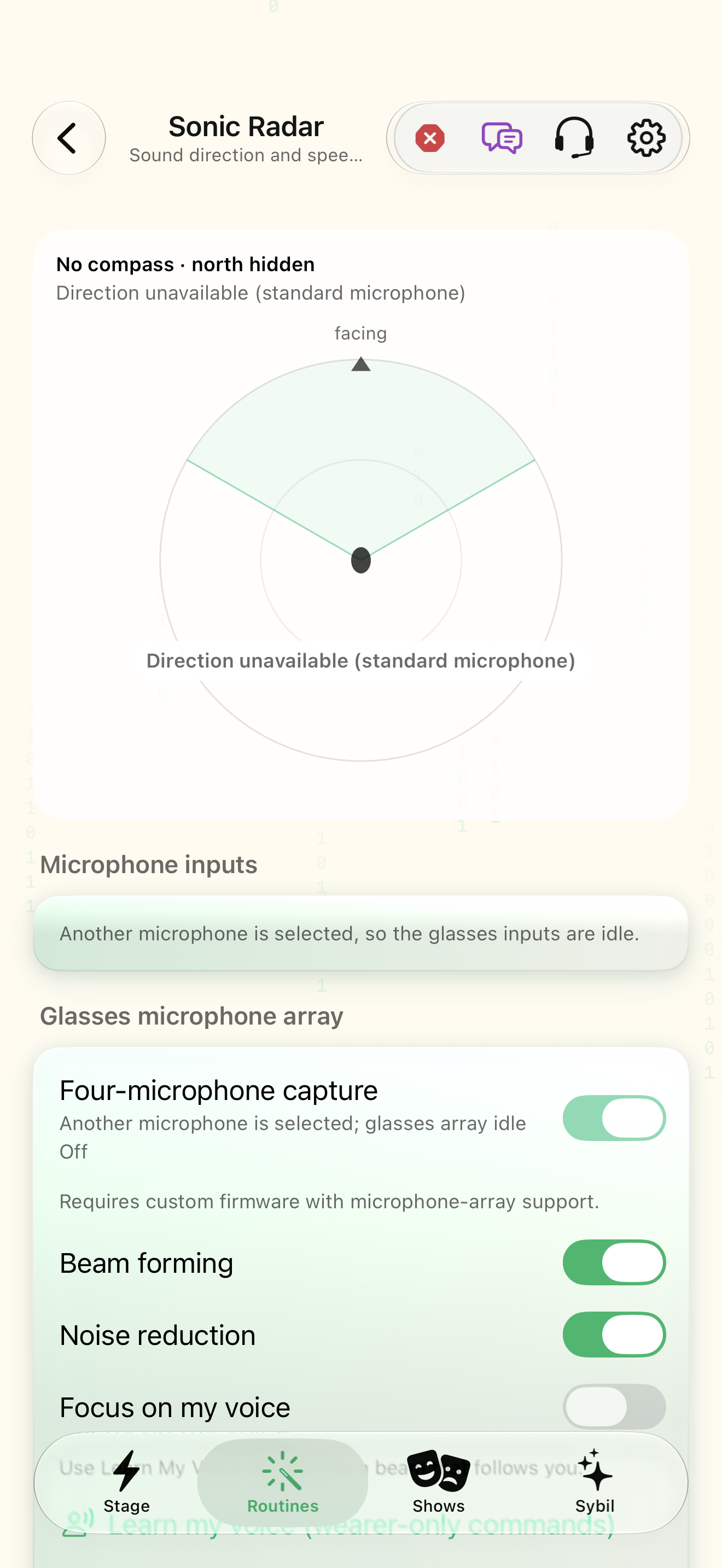
Automatic device input and the glasses array are different choices. Beam forming and noise reduction apply to a supported active array; direction is unavailable on a standard microphone.
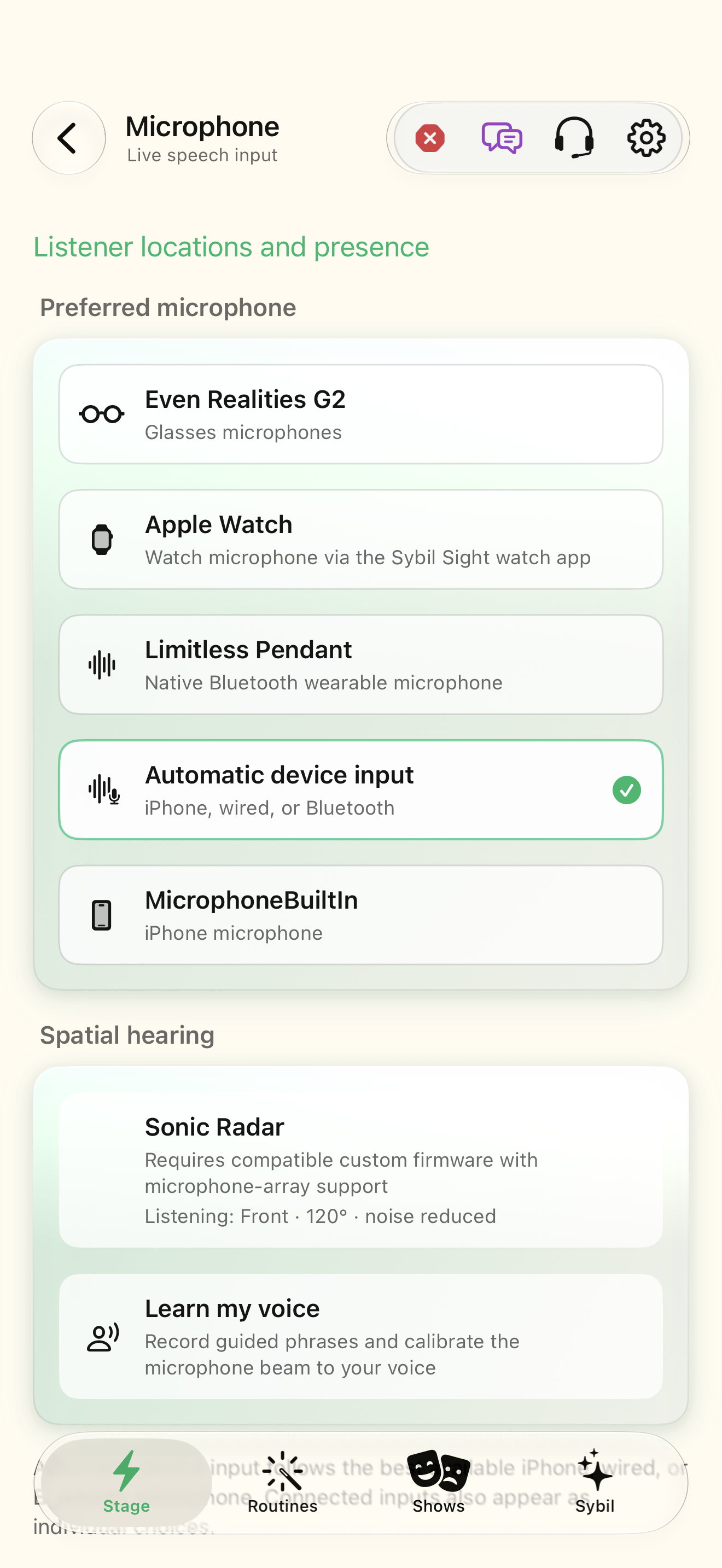
Preferred microphone
Select the microphone and inspect its current source label. The Stage chip mirrors this choice.
The app listens through the source you intend.
Select the highlighted control in the teaching view.
Practice at your own pace. You can also use Next step.
Microphone
Listener locations and presence
Spatial hearing
Find Preferred microphone
Interactive HTML app view with sample data. Follow the outlined control, play the example, or explore at your own pace.
All steps, in writing
Preferred microphone
Select the microphone and inspect its current source label. The Stage chip mirrors this choice.
Expected: The app listens through the source you intend.
Four-microphone capture
Open Sonic Radar and enable array capture when compatible custom firmware is connected.
Expected: The input status shows whether the glasses array is active or idle.
Beam forming
Compare beam forming and noise reduction with a sample voice in the intended environment.
Expected: Speech is clearer without accidentally excluding the person you need to hear.
Focus on my voice
Use Learn my voice calibration if you want microphone beam direction centered on you. Inspect direction and compass availability.
Expected: The spatial view matches a supported sensor/input state.
If something differs
- A standard phone microphone cannot supply the same direction data as the glasses array.
- Selecting another microphone leaves the glasses array idle.
- No compass means north cannot be shown; use facing direction instead.
Open the screen references
Based on SybilSight/UI/SonicRadarView.swift and the app help catalog. Edition, device, and build affect available controls.