
Musician
Tune an instrument through the selected microphone (the glasses by default) with a meter in cents and a piezo reference tone, and read imported MIDI/MusicXML sheet music that scrolls as the player is heard.
Find it: Home › Musician
Chromatic tuner
Instrument
Scores
Interactive HTML app view · Play the full walkthrough ↗
Compare the visual reference
Reviewed sample screenshot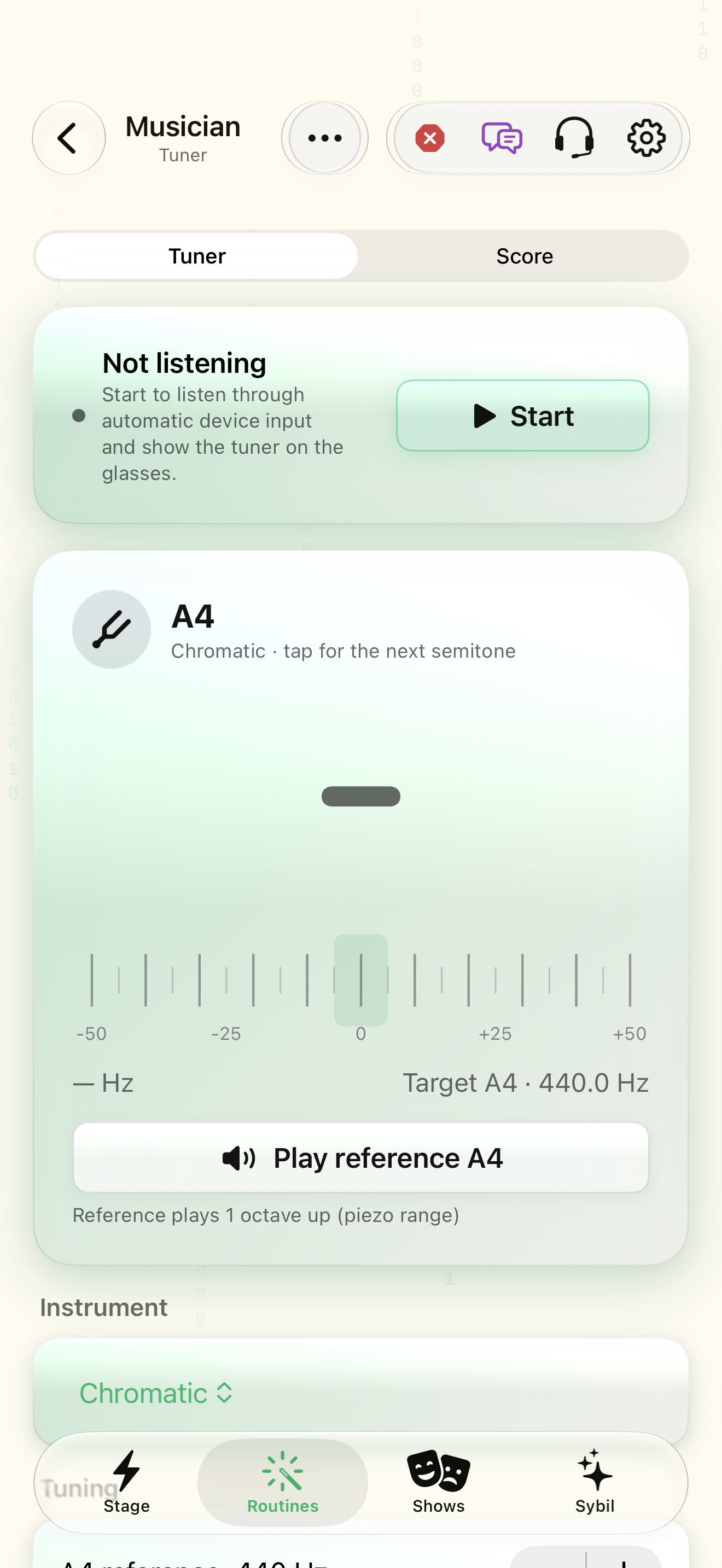
Captured with synthetic content on app build 0.9.1 (260723.1), compiled from reviewed source. Your edition, device, and build can change what appears.
Find: Musician
Find Musician
Open Home › Musician. Tune an instrument through the selected microphone (the glasses by default) with a meter in cents and a piezo reference tone, and read imported MIDI/MusicXML sheet music that scrolls as the player is heard. Check: Identify the title and controls before beginning.
Go at your own pace. This does not operate the app.
Text is always available. Narration uses a local browser voice when available.
Learn a complete workflow
Connect an integration and discover the rest of the app ↗
Explore tones, music, and sound tools ↗
Tune an instrument and follow a score ↗
What you’ll find
- Tuner / Score tabs
- Start/Stop listening
- Instrument icon (tap = next note, touch and hold = choose the instrument)
- Note, cents meter and frequency
- Play reference tone
- Instrument preset and string selector
- A4 reference, in-tune threshold, temperament
- Score library (import, rename, share, delete)
- Follow / pause, practice mode, count-in
- Scrolling sheet with cursor (tap a bar to move)
About this guide
Generated from the app’s maintained help catalog. This is a guided reference, not a device-verified recording. The interactive studio provides separate fictional practice examples.
Source: SybilSight/Services/AppAgent/AppAgentKnowledge.swift · Catalog 892fdd7c1507
Something doesn’t match your app?Settings, in plain language.
A4 reference
Tuner reference pitch for A4, 415–466 Hz (default 440).
In-tune threshold
How close (± cents) counts as in tune; default 5.
Instrument preset
Chromatic, guitar (standard / drop D), bass, ukulele, violin or cello strings.
Temperament
Equal (default), just intonation or Pythagorean, centred on C.
Reference tone length
Seconds the piezo (or phone) reference note sounds.
Count-in
One bar of piezo clicks at the score tempo before following starts.
Practice mode
The score cursor advances only when the expected note is played.