
Tune an instrument and follow a score
Keep pitch and your place in the music close to view.
Microphone access; MIDI or MusicXML for a score, or the built-in demo.
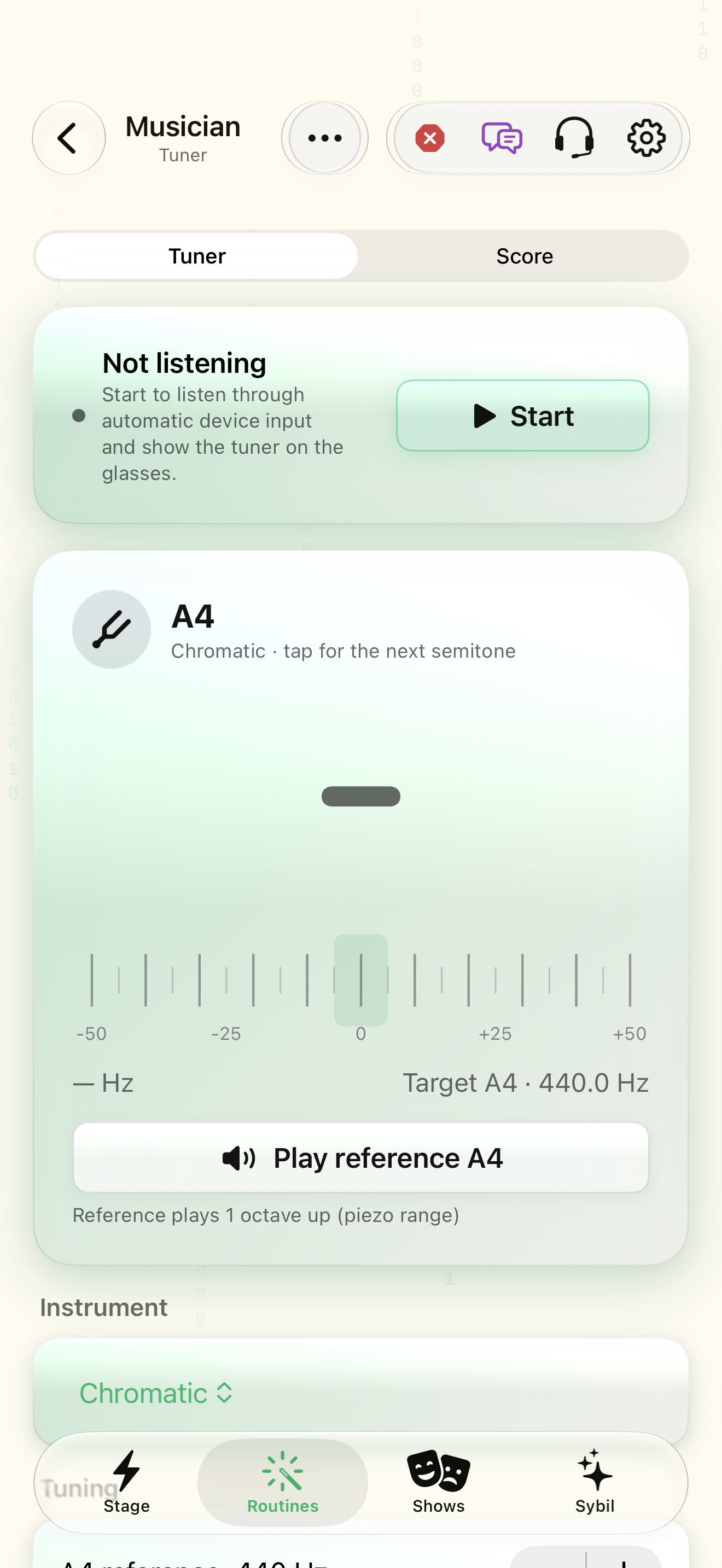
Tuner shows note, frequency, and cents. Score follows a selected part while you play. Practice mode advances only on the correct note.
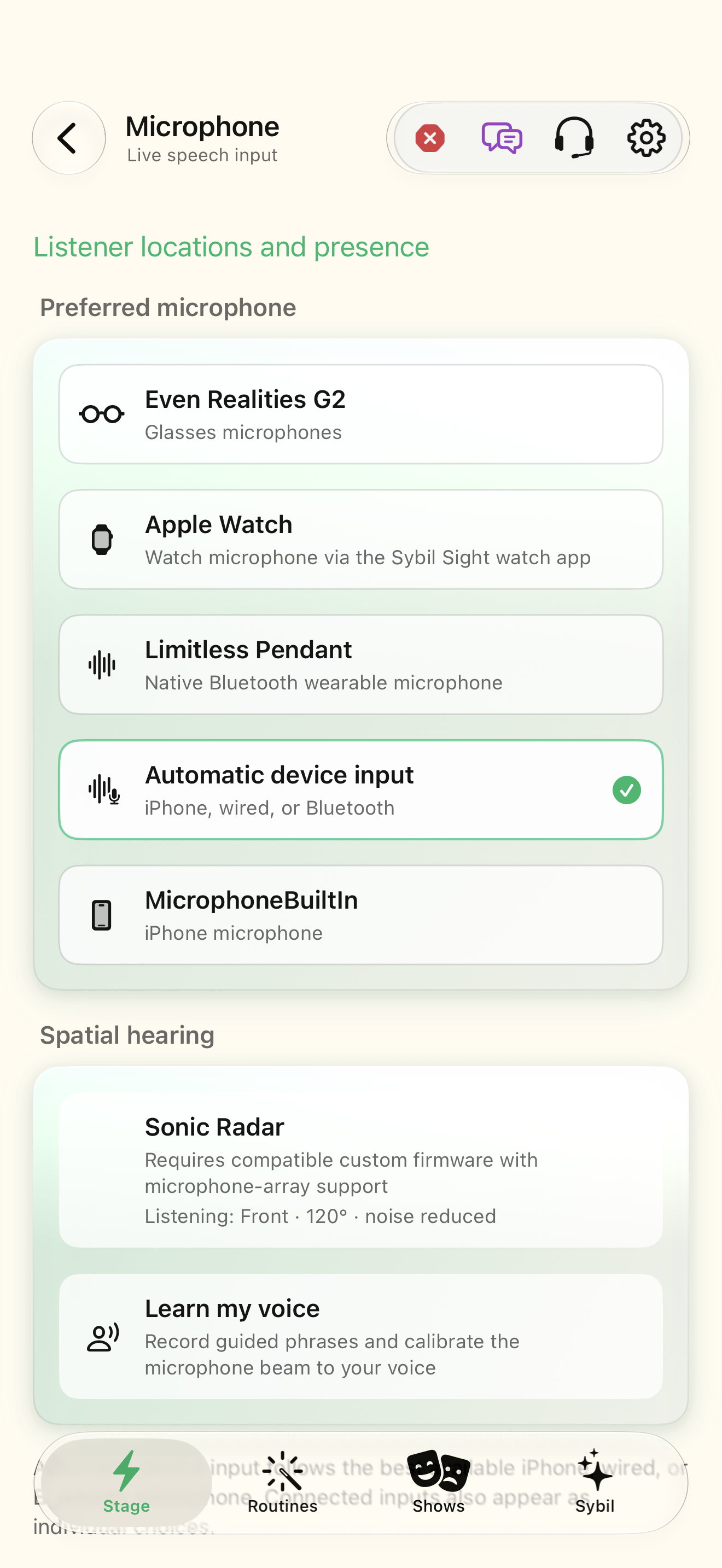
Preferred microphone
Choose the input that can hear your instrument, then open Musician and Start listening.
The live status identifies the intended input.
Select the highlighted control in the teaching view.
Practice at your own pace. You can also use Next step.
Microphone
Listener locations and presence
Spatial hearing
Find Preferred microphone
Interactive HTML app view with sample data. Follow the outlined control, play the example, or explore at your own pace.
All steps, in writing
Preferred microphone
Choose the input that can hear your instrument, then open Musician and Start listening.
Expected: The live status identifies the intended input.
Instrument
Choose Chromatic or an instrument preset. Auto selects the played string; tap a string to lock a manual target and Clear to return to automatic selection.
Expected: The target note and instrument match what you are playing.
Reference A4
Set the A4 reference, in-tune threshold, and temperament. Inspect cents relative to the target. Play reference A4 when needed.
Expected: The displayed pitch comparison uses your selected tuning reference.
Import score
Select Score and import MIDI (.mid) or MusicXML (.musicxml, .xml, .mxl), or open Demo. Select Follow part when the score contains several parts.
Expected: The imported staff and part are the ones you want to follow.
Follow / pause
Start following; tap a bar to reposition or use Bar 1 to reset. Enable Practice mode to advance only on the right note, and count-in clicks when supported.
Expected: The score cursor responds to the notes and control state.
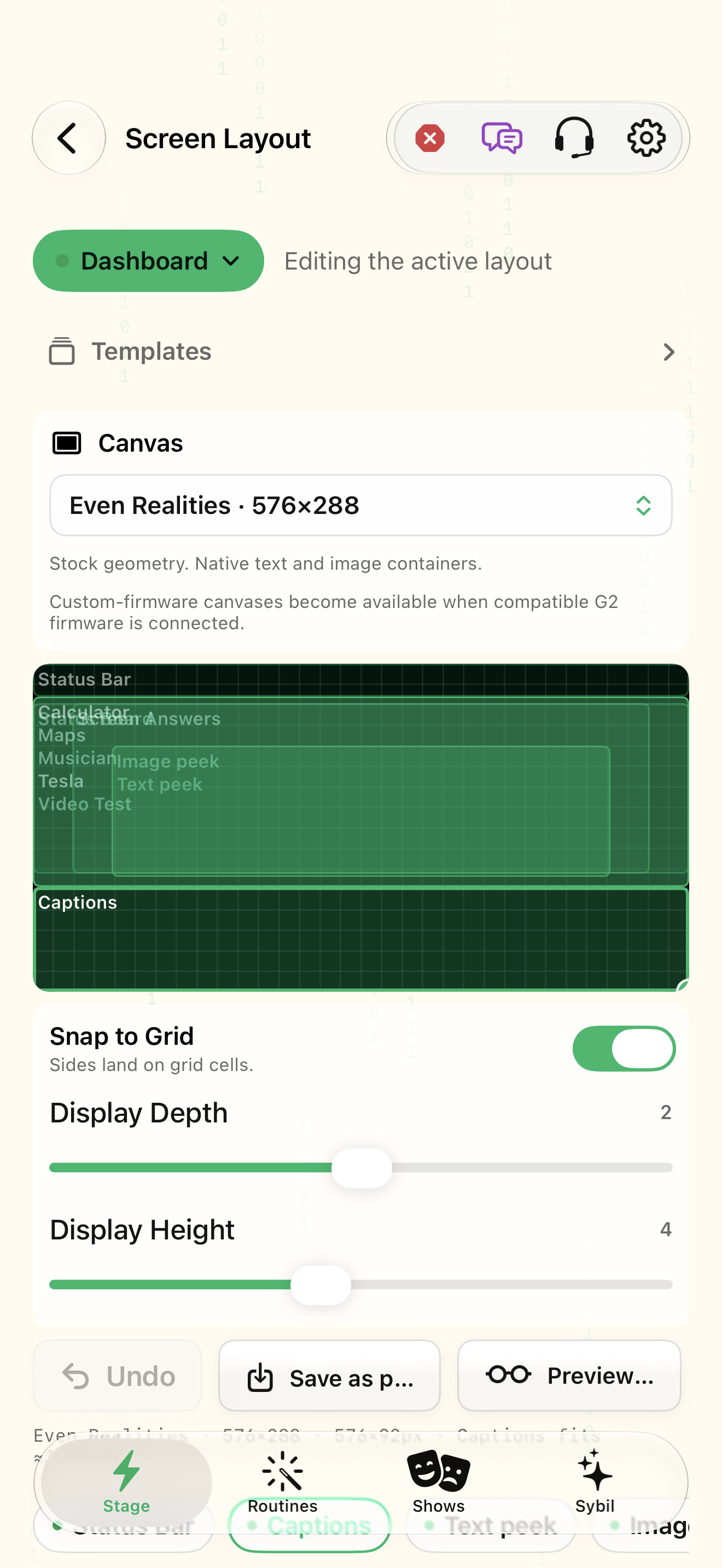
Canvas
Place Musician in the intended Dashboard region and verify the note or score on the actual glasses.
Expected: The staff and tuning data remain legible while playing.
If something differs
- Start Musician before expecting score following.
- Low reference tones can sound an octave or more up on the glasses piezo; the tuner mutes itself during a reference.
- Glasses count-in and piezo references need compatible firmware/hardware.
Open the screen references
Based on SybilSight/Musician/MusicianView.swift and the app help catalog. Edition, device, and build affect available controls.