
Look & Layout
Theme, status bar, screen layout, captions look, and stage mirror toggles.
Find it: Settings › Look & Layout
Mirrors & peeks
Interactive HTML app view · Play the full walkthrough ↗
Compare the visual reference
Reviewed sample screenshot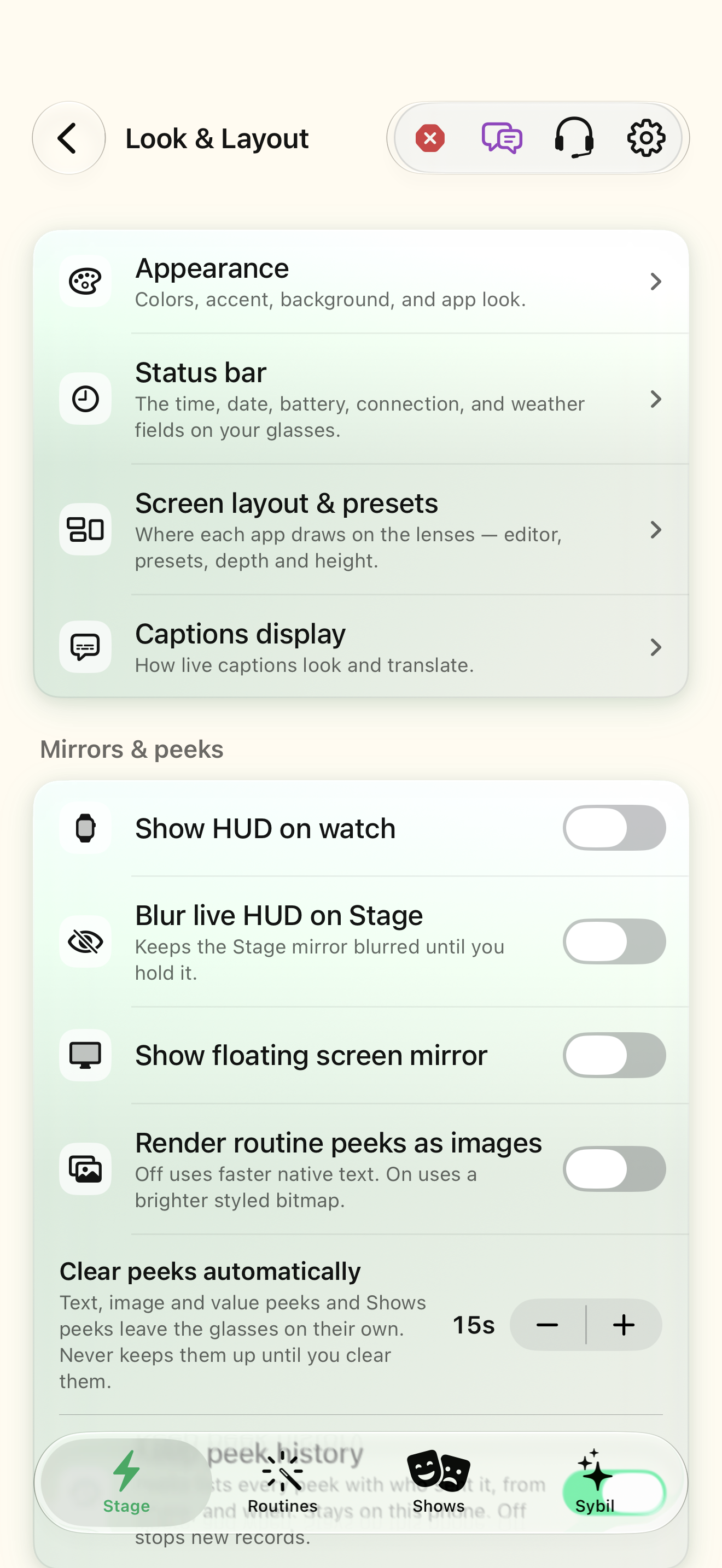
Captured with synthetic content on app build 0.9.1 (260723.1), compiled from reviewed source. Your edition, device, and build can change what appears.
Find: Look & Layout
Find Look & Layout
Open Settings › Look & Layout. Theme, status bar, screen layout, captions look, and stage mirror toggles. Check: Identify the title and controls before beginning.
Go at your own pace. This does not operate the app.
Text is always available. Narration uses a local browser voice when available.
Learn a complete workflow
Find settings and detailed app controls ↗
Customize the status bar and its tokens ↗
What you’ll find
- Theme
- Status bar
- Screen layout & presets
- Captions display
- Stage & mirror display
- Clear peeks automatically
- Keep peek history
About this guide
Generated from the app’s maintained help catalog. This is a guided reference, not a device-verified recording. The interactive studio provides separate fictional practice examples.
Source: SybilSight/Services/AppAgent/AppAgentKnowledge.swift · Catalog 892fdd7c1507
Something doesn’t match your app?Settings, in plain language.
Always-on status bar
Keep the status bar visible.
Render peeks as images
Rich bitmap peeks (slower) instead of firmware text (fast).
Clear peeks after
Seconds a delivered peek stays before clearing; 0 keeps it.
Keep peek history
Record every peek (sender, origin, times) in the Peeks app's on-device history. Off stops new records.
Floating mirror
Show the floating display mirror over the app.
Mirror scale
Size of the floating mirror.
Mirror x
Horizontal position of the floating mirror.
Mirror y
Vertical position of the floating mirror.
Mirror shutter
Blur the Stage mirror so the audience cannot read it.
Theme
Dark, light, or system.
Accent color
The app's accent.
Home background
Background image or style for Stage.