
Advanced
Scheduled jobs, data export, workspaces, restore defaults, Developer Apps.
Find it: Settings › Advanced
Automation
Diagnostics
Workspace
Developer
Maintenance
Interactive HTML app view · Play the full walkthrough ↗
Compare the visual reference
Reviewed sample screenshot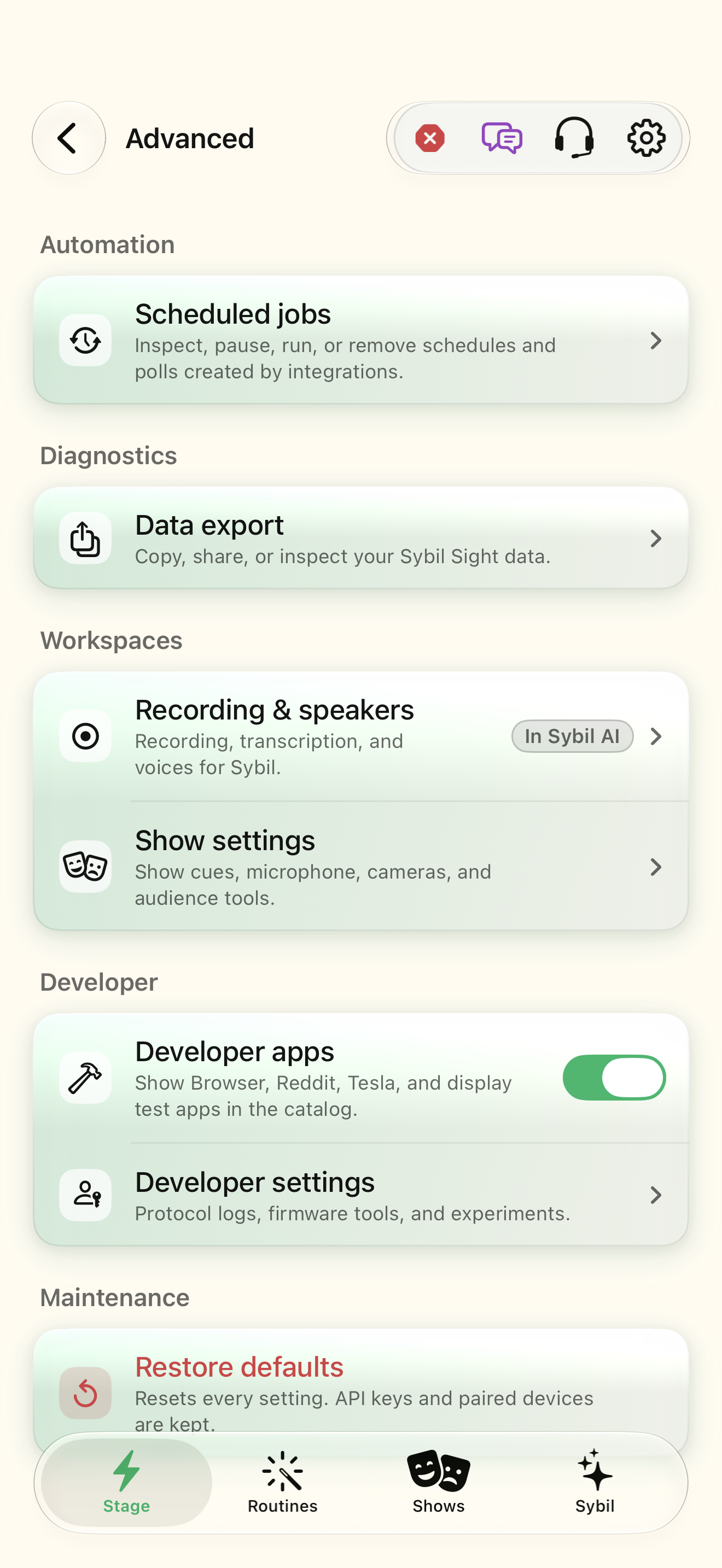
Captured with synthetic content on app build 0.9.1 (260723.1), compiled from reviewed source. Your edition, device, and build can change what appears.
Find: Advanced
Find Advanced
Open Settings › Advanced. Scheduled jobs, data export, workspaces, restore defaults, Developer Apps. Check: Identify the title and controls before beginning.
Go at your own pace. This does not operate the app.
Text is always available. Narration uses a local browser voice when available.
Learn a complete workflow
Connect an integration and discover the rest of the app ↗
Use Shortcuts, the local API, and MCP ↗
What you’ll find
- Scheduled jobs
- Data export
- Workspaces
- Restore defaults
- Developer
About this guide
Generated from the app’s maintained help catalog. This is a guided reference, not a device-verified recording. The interactive studio provides separate fictional practice examples.
Source: SybilSight/Services/AppAgent/AppAgentKnowledge.swift · Catalog 892fdd7c1507
Something doesn’t match your app?Settings, in plain language.
Metric units
Kilometres and Celsius instead of miles and Fahrenheit.
12-hour time
12-hour clock on the glasses.
Time zone
The phone's time zone as last reported to the glasses.
Time zone override
Force a time zone for the glasses clock and calendar.
Reconnect on foreground
Reconnect the glasses when the app comes to the front.
Guardian mode
Keep the glasses connection alive aggressively.
Offline mode
Run without the cloud backend.
Backend URL
The server the app talks to.
China deployment
Read-only: whether this build targets the China region.
Show Advanced
Reveal the Advanced door in Settings.
Developer mode
Show developer tools and developer apps.