
Assistant settings
Recording, speakers, consent and sources, and sync options for the Sybil workspace.
Find it: Settings › Sybil AI
Sybil
Recording
Interactive HTML app view · Play the full walkthrough ↗
Compare the visual reference
Reviewed sample screenshot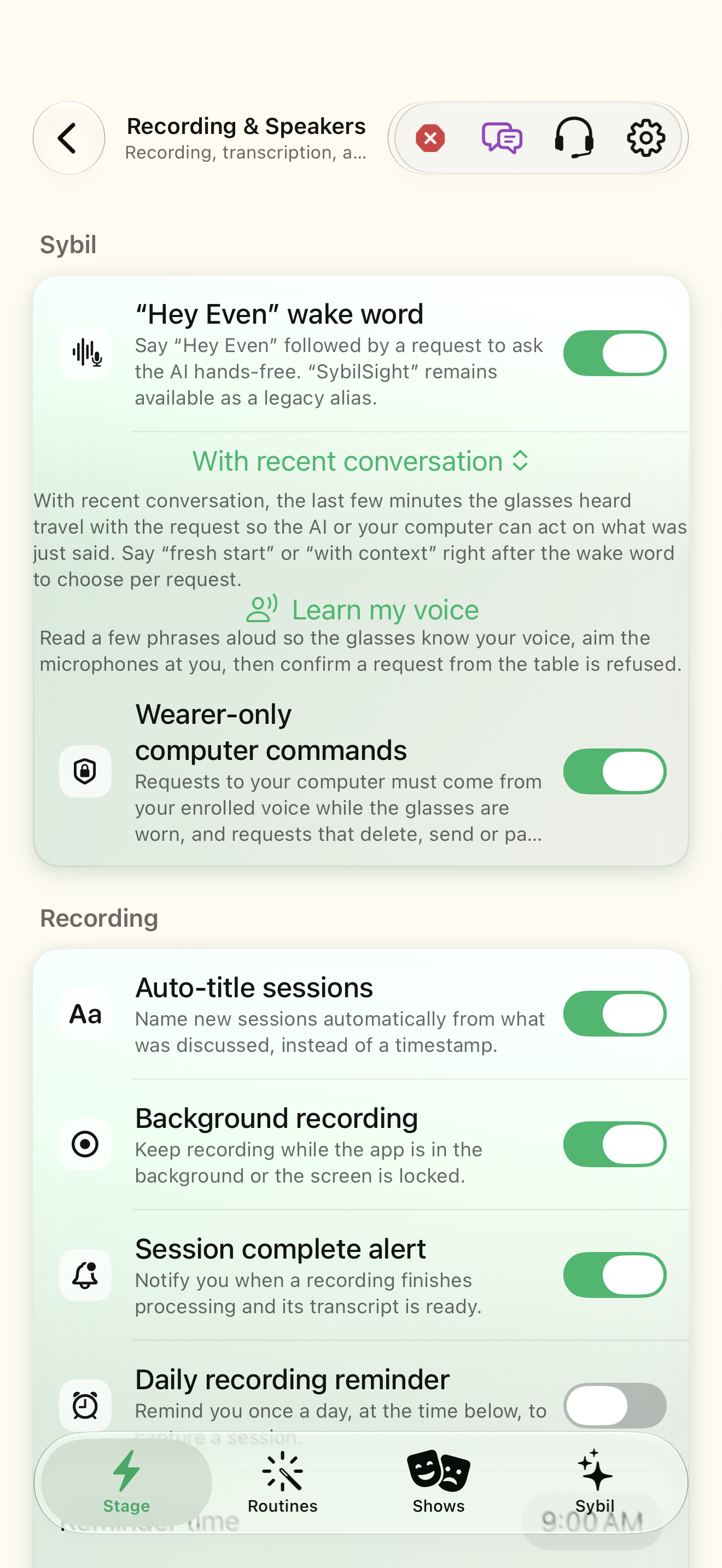
Captured with synthetic content on app build 0.9.1 (260723.1), compiled from reviewed source. Your edition, device, and build can change what appears.
Find: Assistant settings
Find Assistant settings
Open Settings › Sybil AI. Recording, speakers, consent and sources, and sync options for the Sybil workspace. Check: Identify the title and controls before beginning.
Go at your own pace. This does not operate the app.
Text is always available. Narration uses a local browser voice when available.
Learn a complete workflow
Choose your privacy and processing boundaries ↗
Understand exports and synchronization ↗
What you’ll find
- Wake word
- Recording & speakers
- Audio recordings (keep on this device, in iCloud, on Sybil Terminal)
- Compress recordings
- Consent & sources
- Sync
About this guide
Generated from the app’s maintained help catalog. This is a guided reference, not a device-verified recording. The interactive studio provides separate fictional practice examples.
Source: SybilSight/Services/AppAgent/AppAgentKnowledge.swift · Catalog 892fdd7c1507
Something doesn’t match your app?Settings, in plain language.
Record while listening
Keep reviewable audio of live speech sessions.
Speaker identification
Label captions with Speaker N or enrolled names.
Wake word
Answer to the wake word (SybilSight / Hey Even).
Keep recordings on this device
Keep audio recordings on this device for the chosen window (default on). Off removes each recording's audio once its transcript is finished; transcripts are always kept.
Keep on this device for
Days to keep recordings on this device: 7, 14, 30 (default), 90, 365, or 0 for forever.
Also keep in iCloud
Also keep a copy of each recording in the wearer's own iCloud Drive (default off). Off removes existing iCloud copies.
Keep in iCloud for
Days to keep the iCloud copies: 7, 14, 30 (default), 90, 365, or 0 for forever.
Also keep on Sybil Terminal
Also keep a copy of each recording on the wearer's own paired Sybil Terminal computer (default off).
Keep on Sybil Terminal for
Days the Sybil Terminal keeps its copies: 7, 14, 30 (default), 90, 365, or 0 for forever.
Wake word context
Whether a wake-word turn includes the recent conversation.
Wake word lookback
Seconds of recent transcript a wake-word turn can see.
Voice command gate
Only the identified wearer can issue voice commands.
Live contact briefings
Show who you are talking to on the glasses.
Personal cues
Include reminders and commitments in live briefings.