
Keyboards
Pair a Bluetooth keyboard to the glasses (needs custom firmware with keyboard support), connect, disconnect or forget it, and choose where typing goes: an app, Ask Sybil, or your computer.
Find it: Settings › Glasses › Keyboards
Your keyboards
Typing
Hotkeys
Test keys
Interactive HTML app view · Play the full walkthrough ↗
Compare the visual reference
Reviewed sample screenshot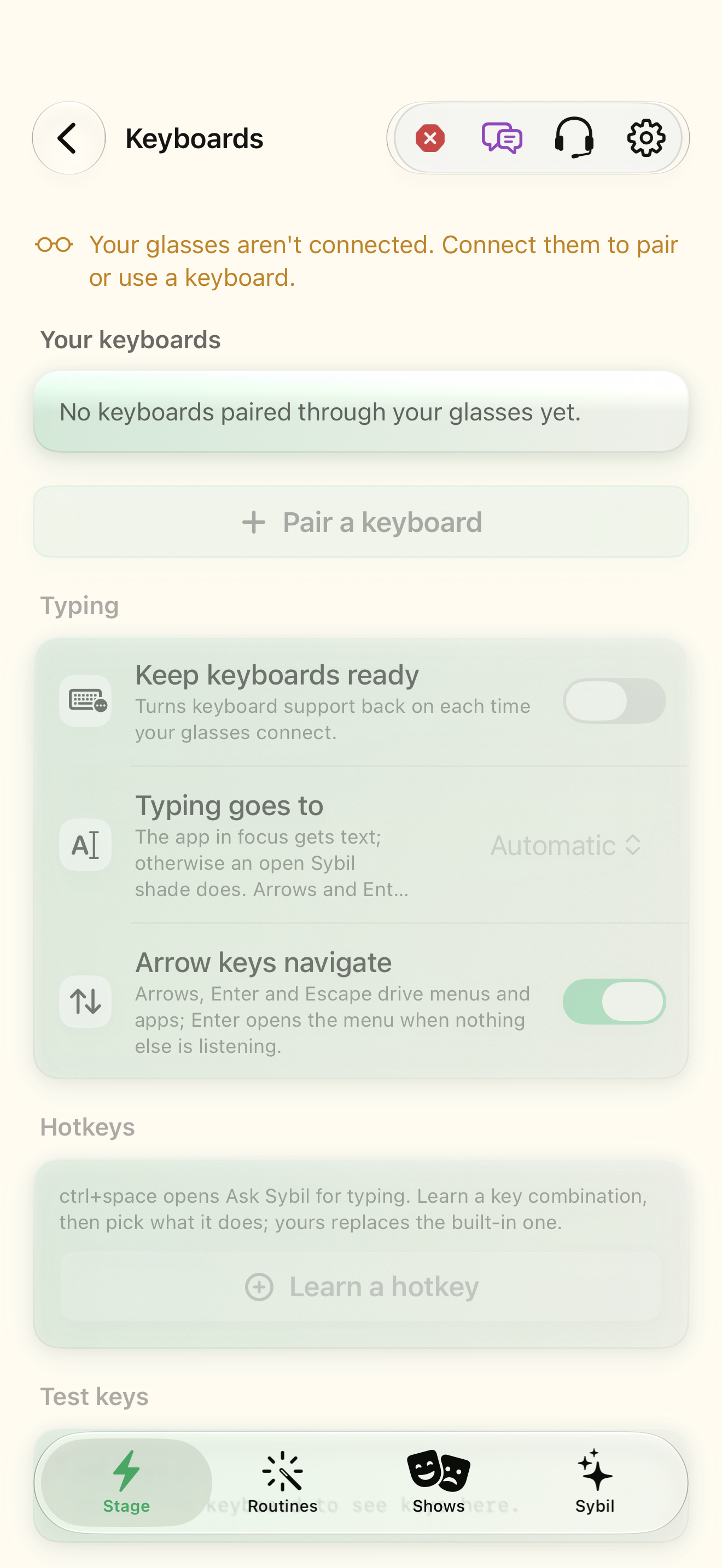
Captured with synthetic content on app build 0.9.1 (260723.1), compiled from reviewed source. Your edition, device, and build can change what appears.
Find: Keyboards
Find Keyboards
Open Settings › Glasses › Keyboards. Pair a Bluetooth keyboard to the glasses (needs custom firmware with keyboard support), connect, disconnect or forget it, and choose where typing goes: an app, Ask Sybil, or your computer. Check: Identify the title and controls before beginning.
Go at your own pace. This does not operate the app.
Text is always available. Narration uses a local browser voice when available.
Learn a complete workflow
Pair a keyboard through G2 glasses ↗
What you’ll find
- Your keyboards (connect, disconnect, forget)
- Pair a keyboard
- Keep keyboards ready
- Typing goes to
- Arrow keys navigate
- Hotkeys
- Test keys
About this guide
Generated from the app’s maintained help catalog. This is a guided reference, not a device-verified recording. The interactive studio provides separate fictional practice examples.
Source: SybilSight/Services/AppAgent/AppAgentKnowledge.swift · Catalog 892fdd7c1507
Something doesn’t match your app?Settings, in plain language.
Keep keyboards ready
Turn keyboard support back on in the glasses each time they connect (needs custom firmware with keyboard support).
Keyboard typing goes to
Where typed text goes: auto, miniApp, assistant (Ask Sybil), terminal, or actionsOnly.
Keyboard arrow keys navigate
Arrows, Enter and Escape drive the Shortcuts menu, Full GUI shell and mini-apps.
Keyboard hotkeys
Chords such as ctrl+shift+k bound to actions; ctrl+space opens Ask Sybil for typing.