
Appearance
App theme and accent.
Find it: Settings › Look & Layout › Appearance
Theme
Brand edition
Accent color
App background
Interactive HTML app view · Play the full walkthrough ↗
Compare the visual reference
Reviewed sample screenshot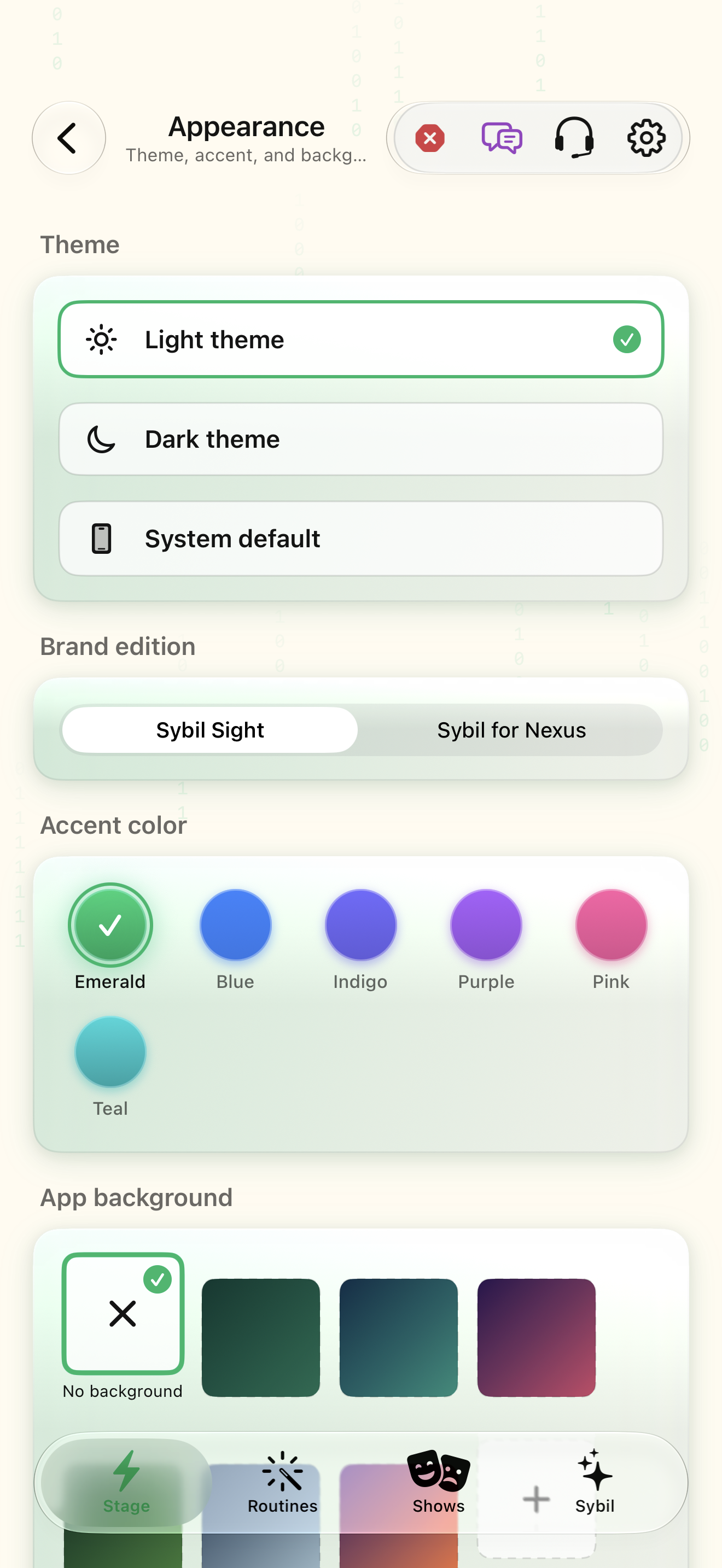
Captured with synthetic content on app build 0.9.1 (260723.1), compiled from reviewed source. Your edition, device, and build can change what appears.
Find: Appearance
Find Appearance
Open Settings › Look & Layout › Appearance. App theme and accent. Check: Identify the title and controls before beginning.
Go at your own pace. This does not operate the app.
Text is always available. Narration uses a local browser voice when available.
Learn a complete workflow
What you’ll find
App theme and accent.
About this guide
Generated from the app’s maintained help catalog. This is a guided reference, not a device-verified recording. The interactive studio provides separate fictional practice examples.
Source: SybilSight/Services/AppAgent/AppAgentKnowledge.swift · Catalog 892fdd7c1507
Something doesn’t match your app?Settings, in plain language.
Theme
Dark, light, or system.
Accent color
The app's accent.
Home background
Background image or style for Stage.
Squircle icons
Rounded-square app icons.
Glass effect
Translucent glass chrome.
Reduce animations
Turn off movement and bounce in the app's animations (default off). Also follows the system Reduce Motion setting.