
Starts: choose the event
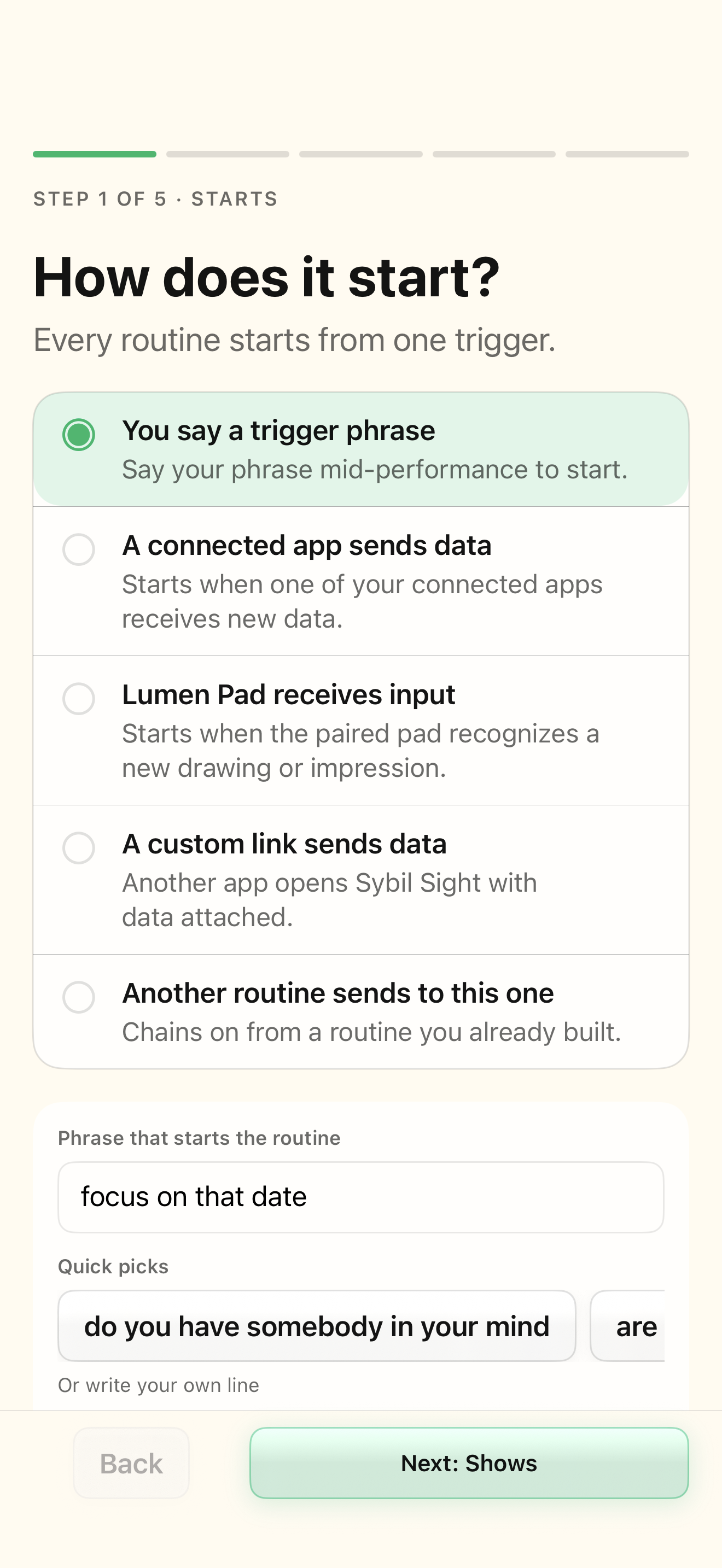
Open Routines and New routine. In Starts, select You say a trigger phrase and enter “the date is” in Phrase that starts the routine. The other choices are a connected app, Lumen Pad input, a custom link, or another routine. A chained start configures the receiver only; the sending routine must explicitly send to its link. Changing the start may reset incompatible inbound Shows or Captures choices and displays a notice.
Shows: choose the first visible information
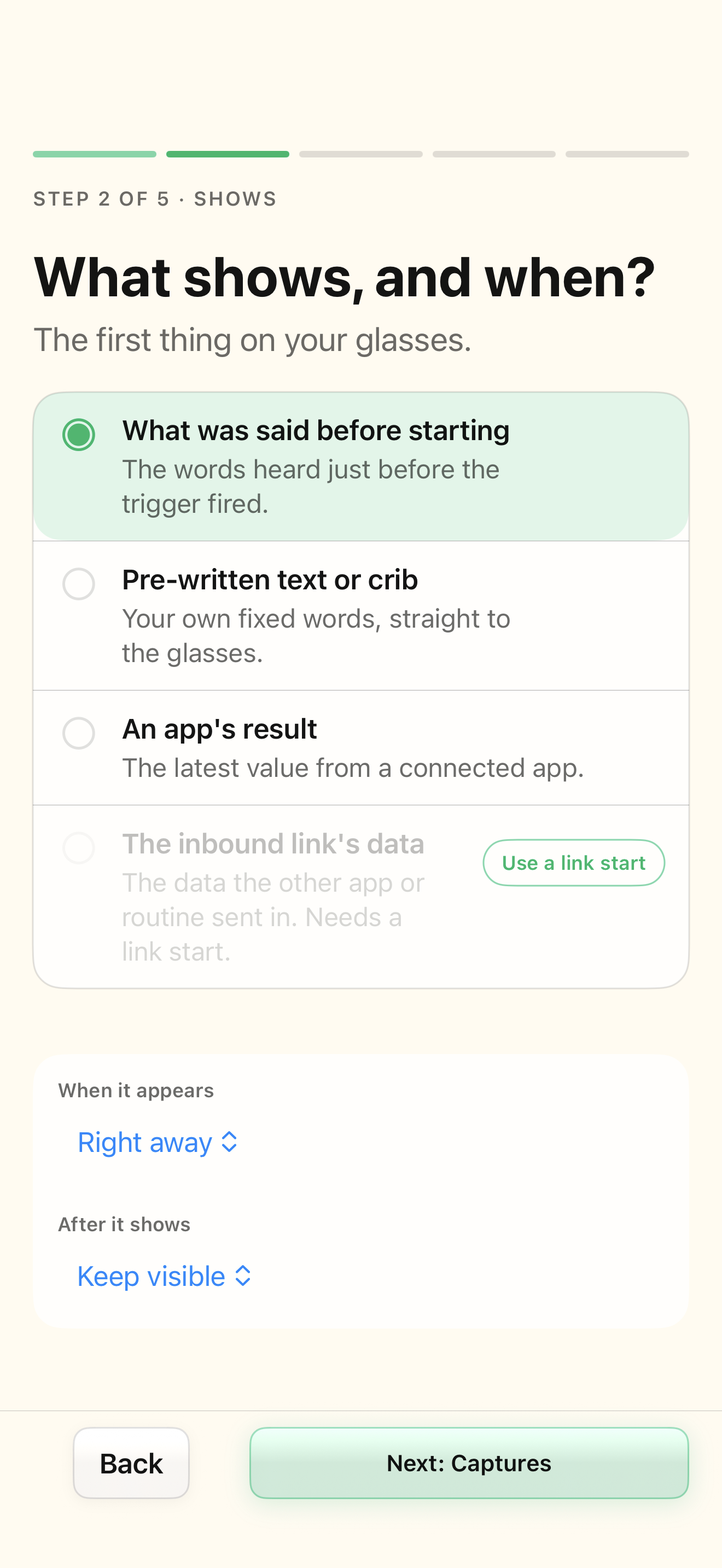
Shows is the initial display, before processing the newly captured value. Choose Pre-written text or crib and enter “Listen for the date” for this exercise. Timing choices include Right away, On a phrase, Look down, and Ring press. You can keep the display visible or choose a 5-, 10-, or 20-second hide delay. The information shown here and the later branch output are separate decisions.
Captures: define the working value
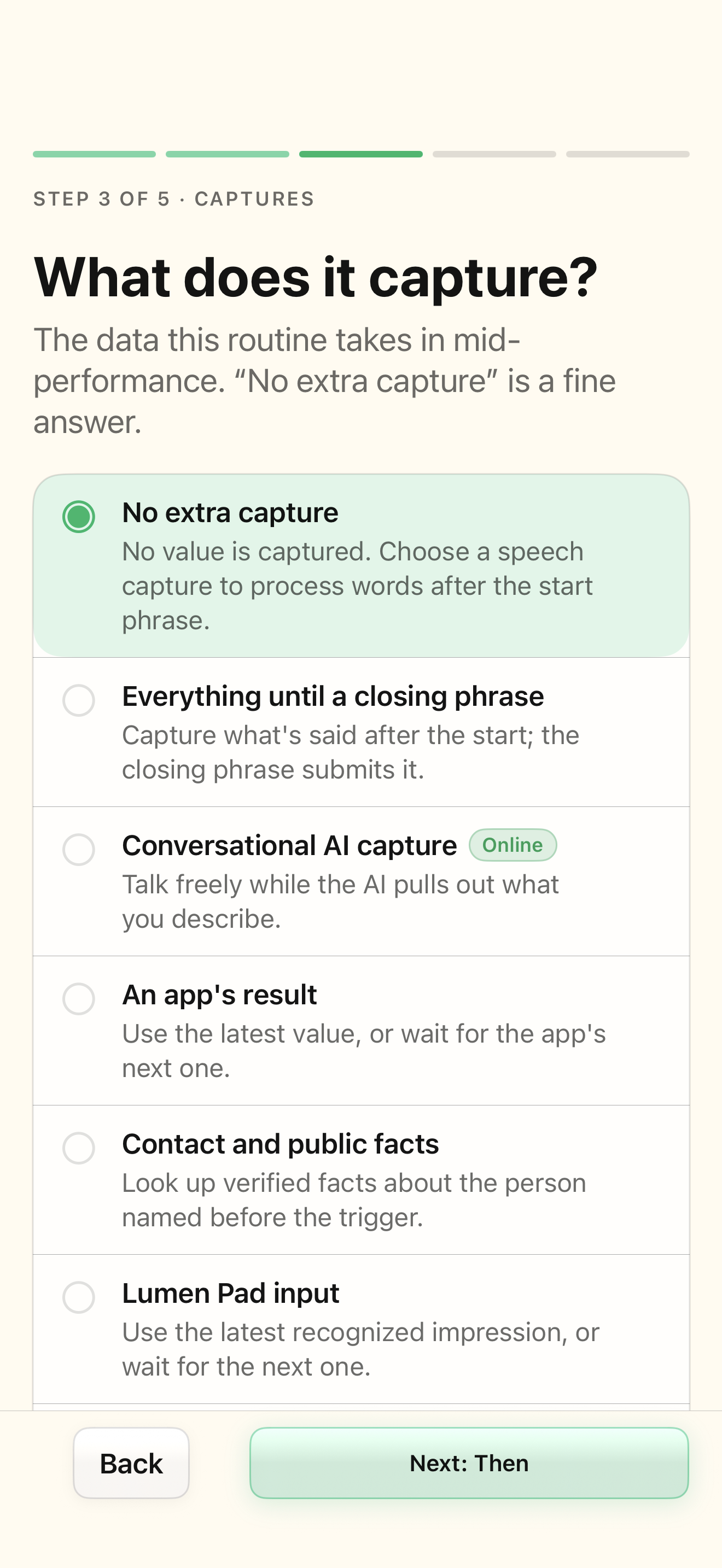
Select Everything until a closing phrase and enter “lock it in” as the closing phrase. Saying “the date is September 12 lock it in” captures “September 12”. No extra capture means this example has no new working value; do not select it when a formula needs the date. Other choices include conversational AI extraction, an app result, contact/public facts, Lumen Pad, and inbound link data. Use latest and Wait for next distinguish an existing integration value from a future one.
Then: transform the value and choose its destination
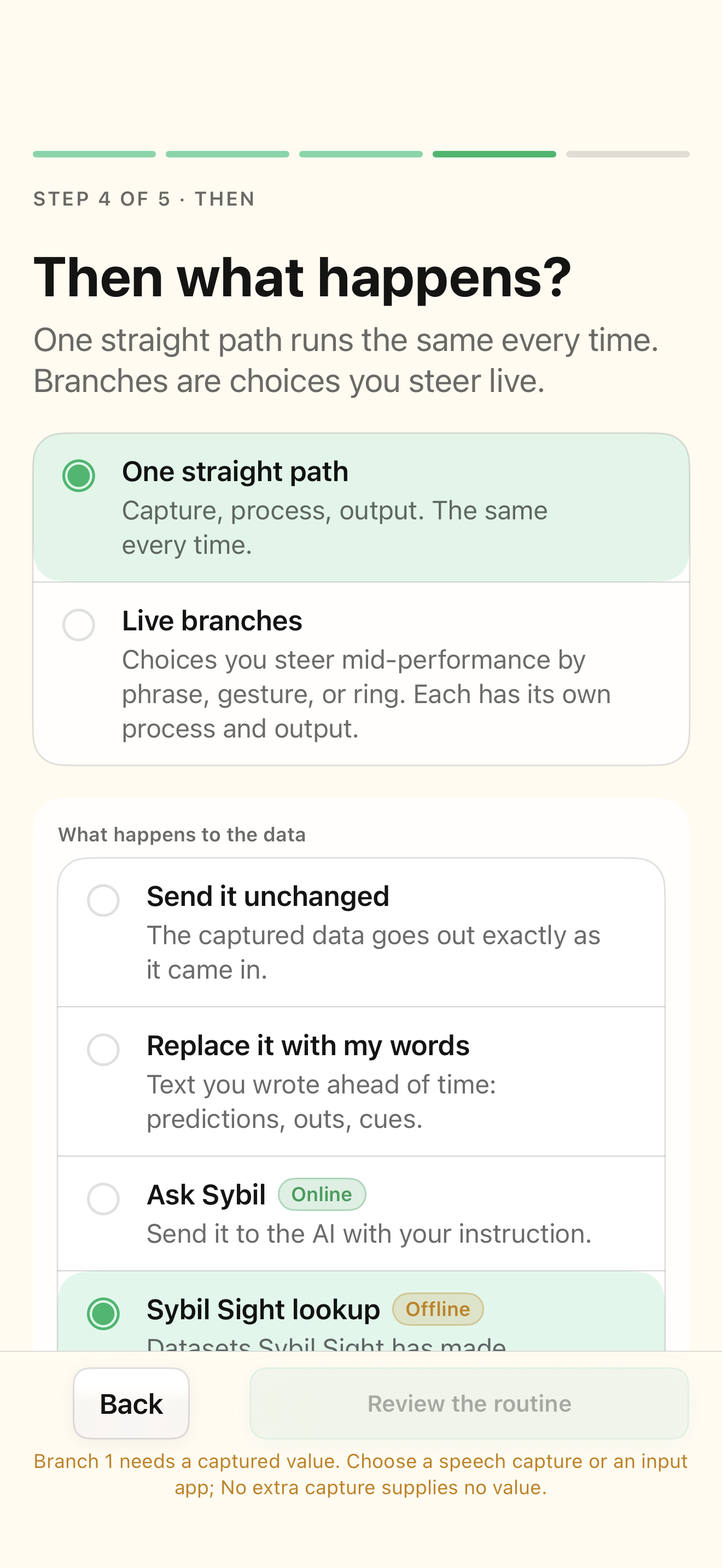
Choose One straight path, Custom formula, and day({value}) + month({value}). Test “12th of September”; the expected calculation is 21. The date parser supports named months and rejects impossible dates. Ambiguous dates such as 12/9 need an explicit day-first or month-first interpretation. Choose Show on glasses for the result. Formula testing runs the local evaluator and does not send data to an integration. A configured app destination is a separate output choice.
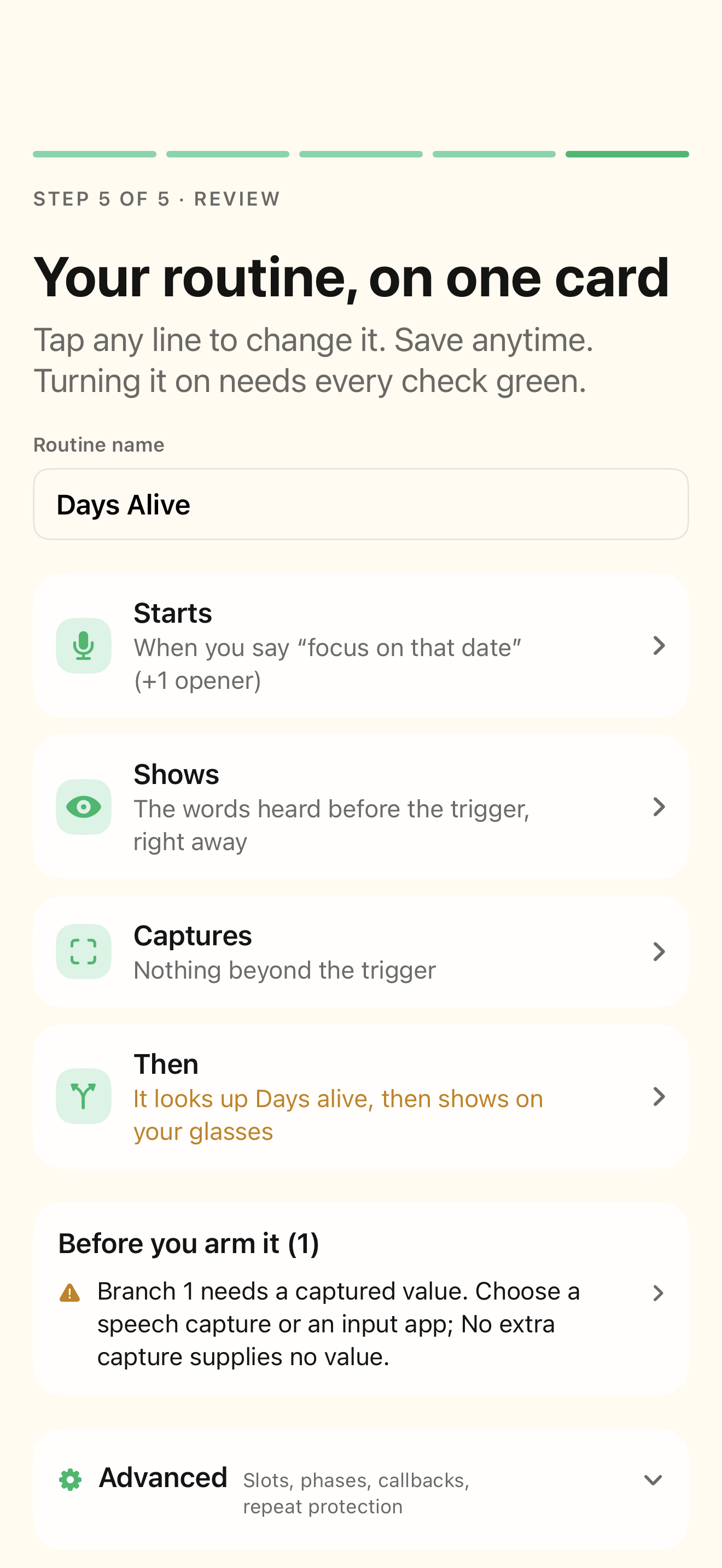
Review: save, rehearse, then arm
Enter the name “Date practice” in Routine name on Review. The four summary rows return you to the corresponding step, and readiness items point to the field that needs attention. Use Rehearse capture, calculation, and output to inspect the captured input and calculated result. Preview labels on glasses tests the visual labels only. Save routine is disabled for a missing name, a read-only premade definition, or an enabled routine with outstanding live setup issues. Keep a draft off until its checks and rehearsal are satisfactory.
Related screens
Reviewed against the iOS implementation. Captured development-build screens use synthetic or empty content; hardware and connected-service states vary.