
Build and rehearse a date-to-number routine
Capture “September 12”, calculate 12 + 9, and inspect 21 before arming.
Sign in to your SybilSight account. Use the app build and supported device for your chosen workflow.
Capture “September 12”, calculate 12 + 9, and inspect 21 before arming.
Create the routine
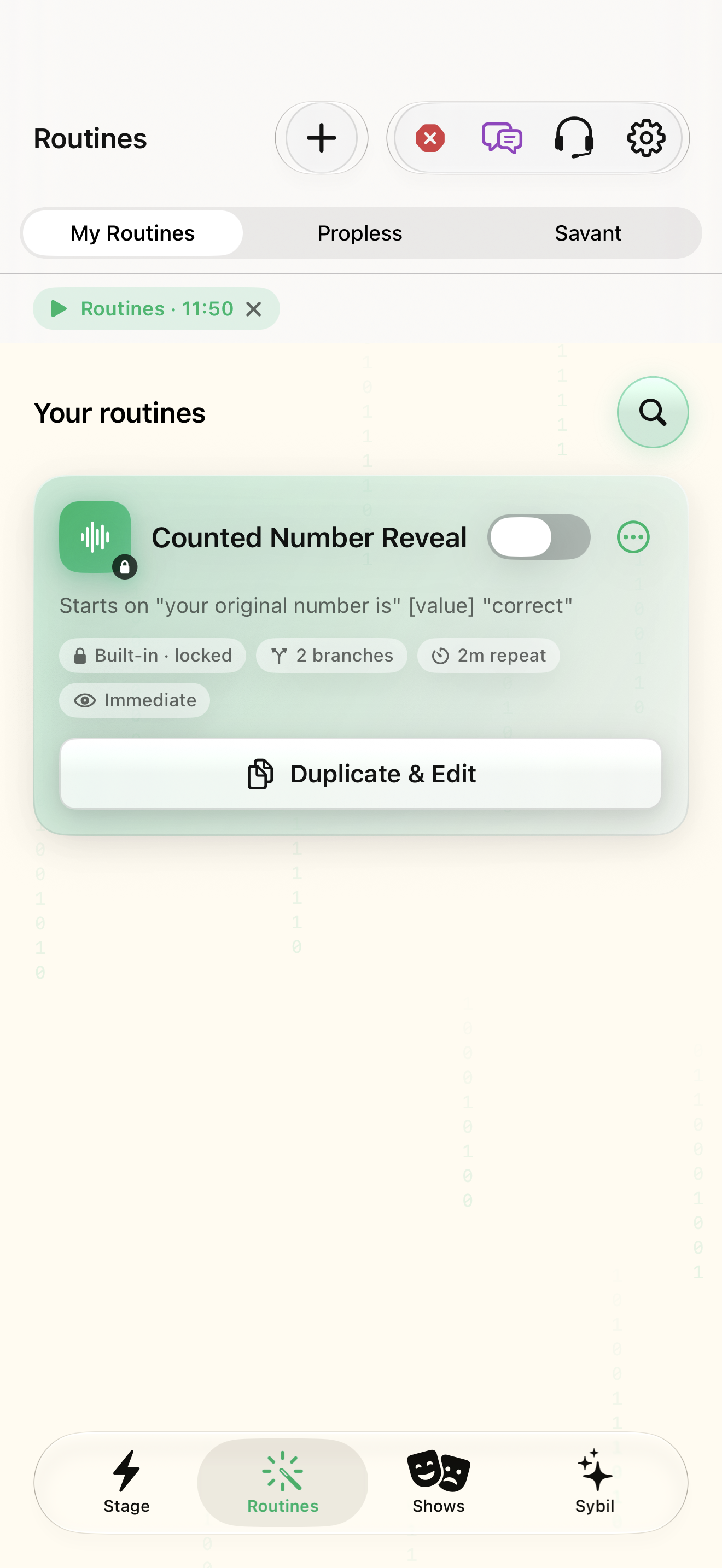
Open Routines › New routine. The name is entered later on Review.
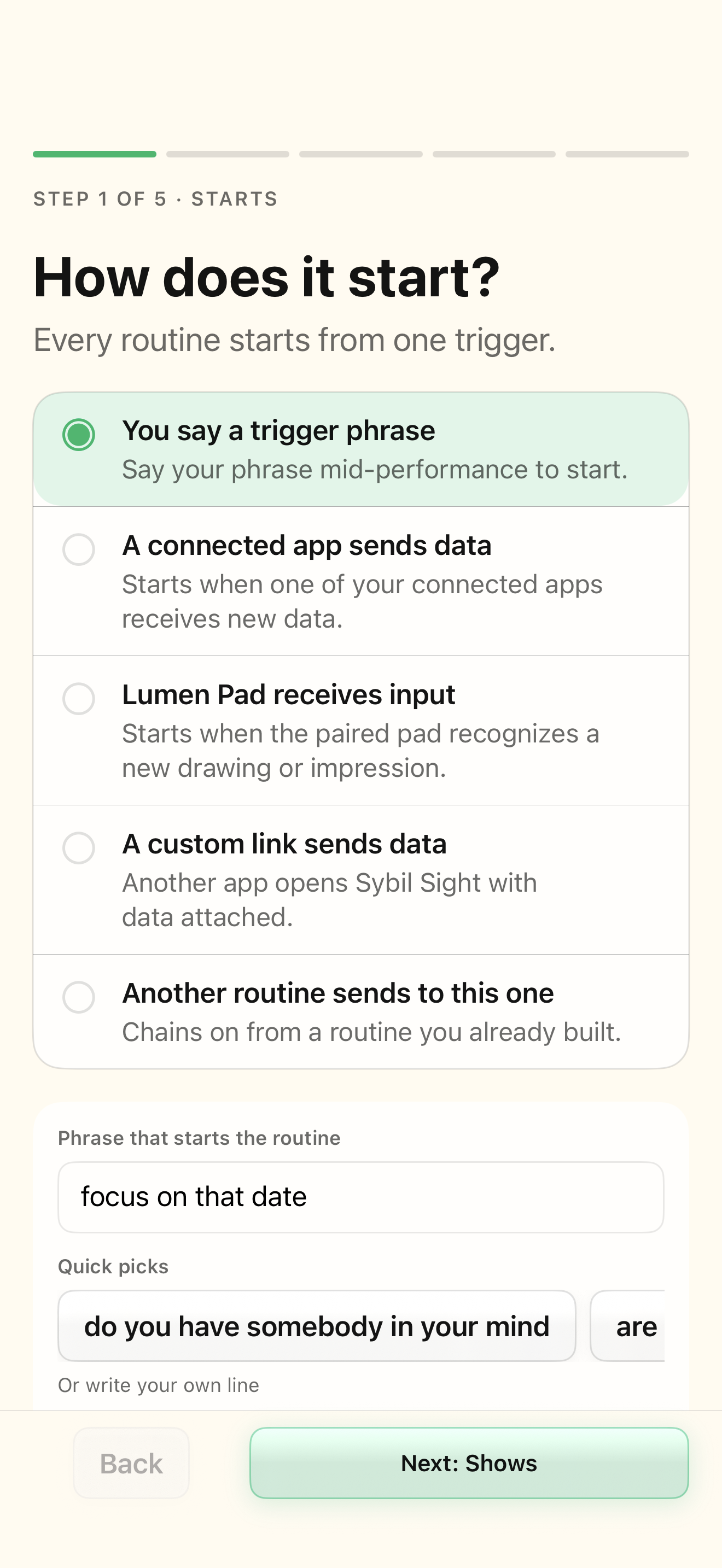
The five-step builder opens at Starts.
Select the highlighted control in the teaching view.
Practice at your own pace. You can also use Next step.
Routines
Your routines
Find New routine
Interactive HTML app view with sample data. Follow the outlined control, play the example, or explore at your own pace.
All steps, in writing
Create the routine
Open Routines › New routine. The name is entered later on Review.
Expected: The five-step builder opens at Starts.
Set the spoken start
Select You say a trigger phrase. Enter “the date is” in Phrase that starts the routine.
Expected: The spoken phrase is the start event.
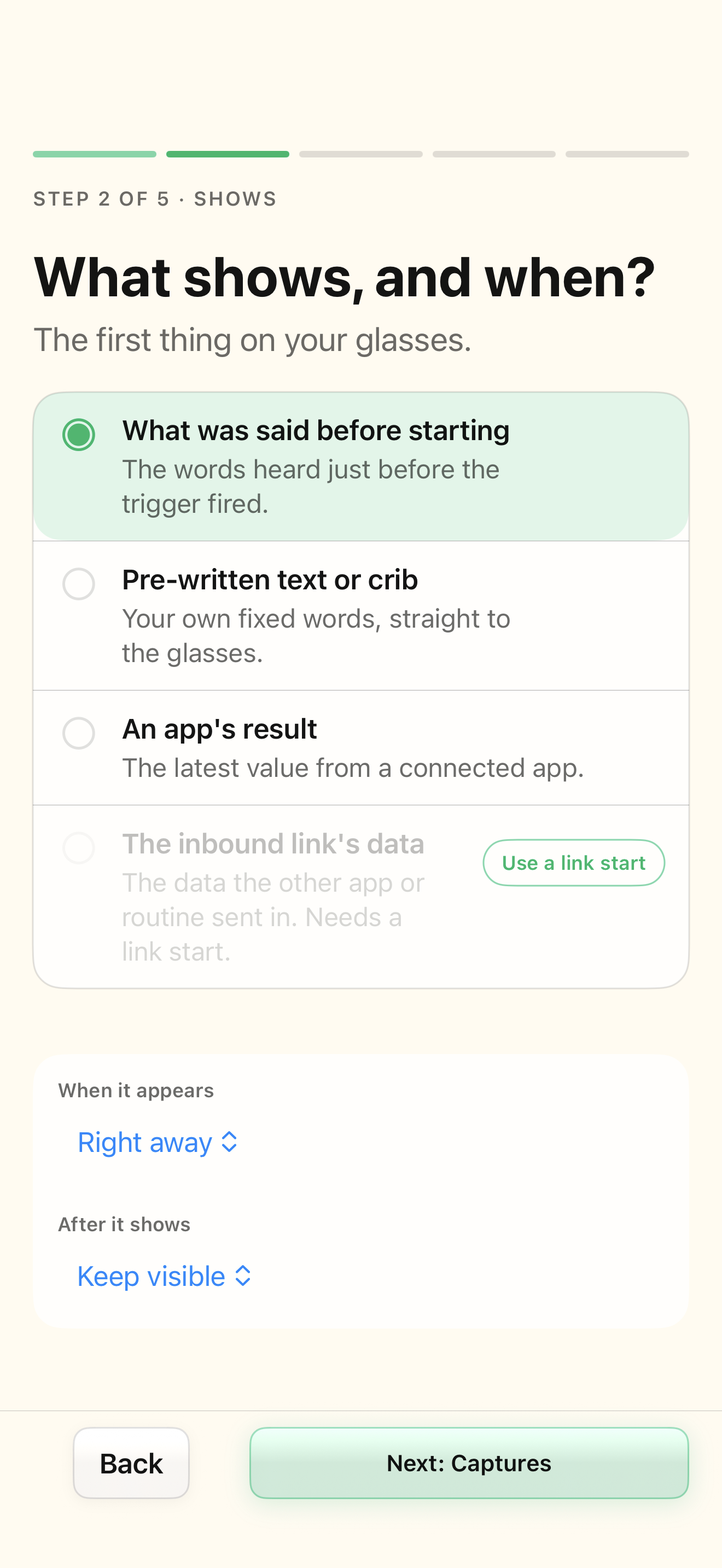
Set the initial display
In Shows choose Pre-written text or crib, enter “Listen for the date”, and use Right away.
Expected: The initial cue is distinct from the calculated output.
Capture the date
Select Everything until a closing phrase. Set the closing phrase to “lock it in”.
Expected: “the date is September 12 lock it in” captures “September 12”.
Calculate the result
In Then select One straight path › Custom formula. Enter day({value}) + month({value}) and test “12th of September”.
Expected: The formula returns 21. Its local test does not send an integration output.
Choose where it goes
Set the output to Show on glasses for this practice routine.
Expected: The calculated result has an explicit destination.
Name and rehearse
In Review enter “Date practice”. Open Rehearse capture, calculation, and output and inspect the input and result.
Expected: The capture and calculation match the sample; labels-only preview is a separate visual test.
Save the draft, then arm when ready
Use Save routine with the routine off until the readiness checks and rehearsal are satisfactory.
Expected: The named draft is saved. Enabling it requires working live dependencies.
If something differs
- Check the named readiness or connection state before continuing.
- Open the related screen reference if your build presents a different layout.
Open the screen references
Based on SybilSight/Routines/RoutineBuilderView+Steps.swift and the app help catalog. Edition, device, and build affect available controls.