
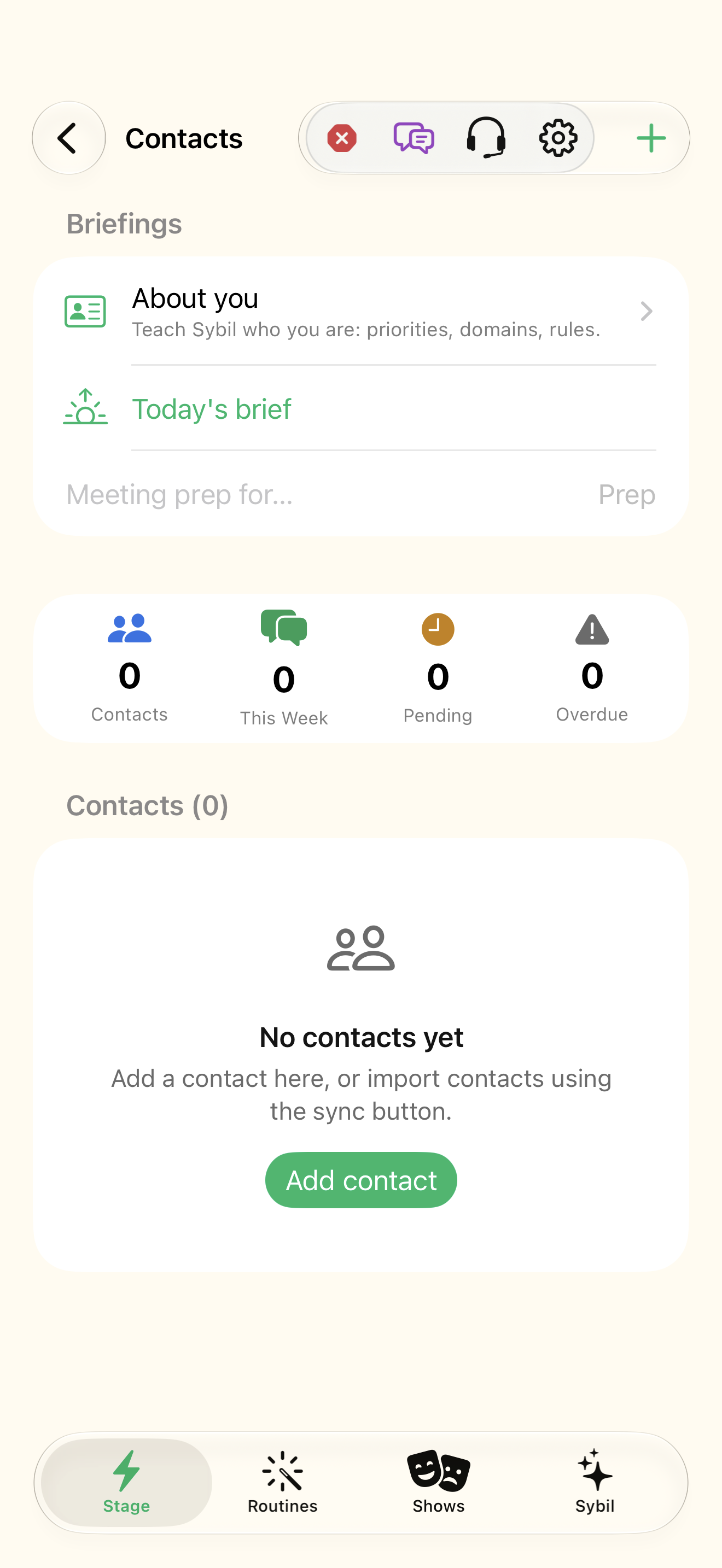
Start with the right contact
CRM & Contacts includes Add contact, Sync Contacts, and filters for All, Leads, Prospects, VIP, Needs Follow-up, and Has Commitments. Import from Contacts and Full sync (import & export) are distinct operations. Start with a synthetic practice contact to learn how notes and follow-ups are organized.
Prepare a useful briefing
Relationships & briefings contains Daily brief, Meeting prep, Priorities, Corrections and rules, Commitments, and Your profile. Before a meeting, inspect the relevant contact’s previous exchange and open commitments. A personal cue or live briefing depends on the enabled settings and a useful source record.
Keep evidence and identity visible
OSINT & Facts reviews configured public/connected sources and provenance. Voice Profiles labels enrolled speakers. A tentative identity or public-source match should be checked against the actual person and source rather than treated as certainty. Use corrections when a fact or attribution is wrong so future context has a better starting point.
Follow through explicitly
A commitment describes something owed to or by a person; a reminder describes a future prompt; a completed action records work done. Review Follow-Ups and Reminders from the Sybil section menu. Update the relevant item after doing the work so a briefing does not keep presenting an already completed obligation.
Related screens
Reviewed against the iOS implementation. Captured development-build screens use synthetic or empty content; hardware and connected-service states vary.