
Pair Sybil Terminal and use Mac context
Bring supported computer context and processing into your personal assistant workflow.
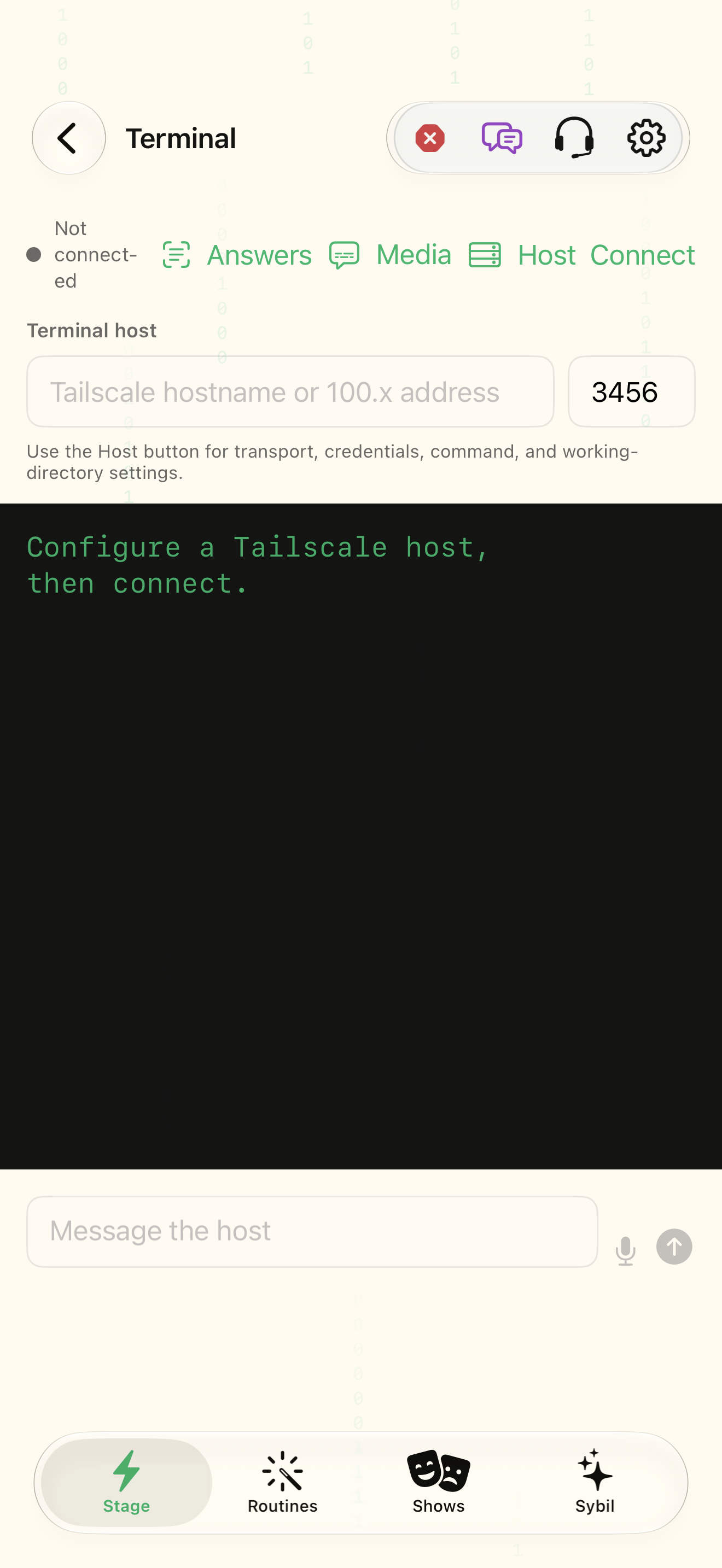
Sybil Terminal on a supported Mac, reachable networking, and an authorized pairing token.
Terminal is the companion running on your computer. A local companion can use an external AI provider; where the process runs and where a provider sends data are separate questions.
Open Terminal on the Mac
Locate its pairing QR or connection details. Keep the token private.
You know which computer is being paired.
Select the highlighted control in the teaching view.
Practice at your own pace. You can also use Next step.
Sybil Terminal
Terminal host
Host
Find Pairing QR
Interactive HTML app view with sample data. Follow the outlined control, play the example, or explore at your own pace.
All steps, in writing
Open Terminal on the Mac
Locate its pairing QR or connection details. Keep the token private.
Expected: You know which computer is being paired.
Pair the app
Scan the QR or enter the host, port, and token in the app’s Terminal setup.
Expected: The intended computer is registered.
Verify connection
Query status and inspect Connected before selecting Terminal as a processing route.
Expected: The phone can reach the authorized companion.
Review data and provider access
Inspect the preferred AI route and the Mac data sources granted to the companion.
Expected: You know which data and provider the workflow may use.
Start with a read
Ask about a harmless sample calendar item or other supported source before requesting an action.
Expected: The answer matches the source you intended.
If something differs
- LAN, Tailscale, or MagicDNS reachability matters; the computer must be available.
- The website support assistant cannot pair your Mac, read its data, or execute commands.
Open the screen references
Based on SybilSight/Services/AppAgent/AppAgentKnowledge.swift and the app help catalog. Edition, device, and build affect available controls.