
Ask Sybil to explain, find, and help
Move from knowing a detail exists to finding it and deciding what to do next.
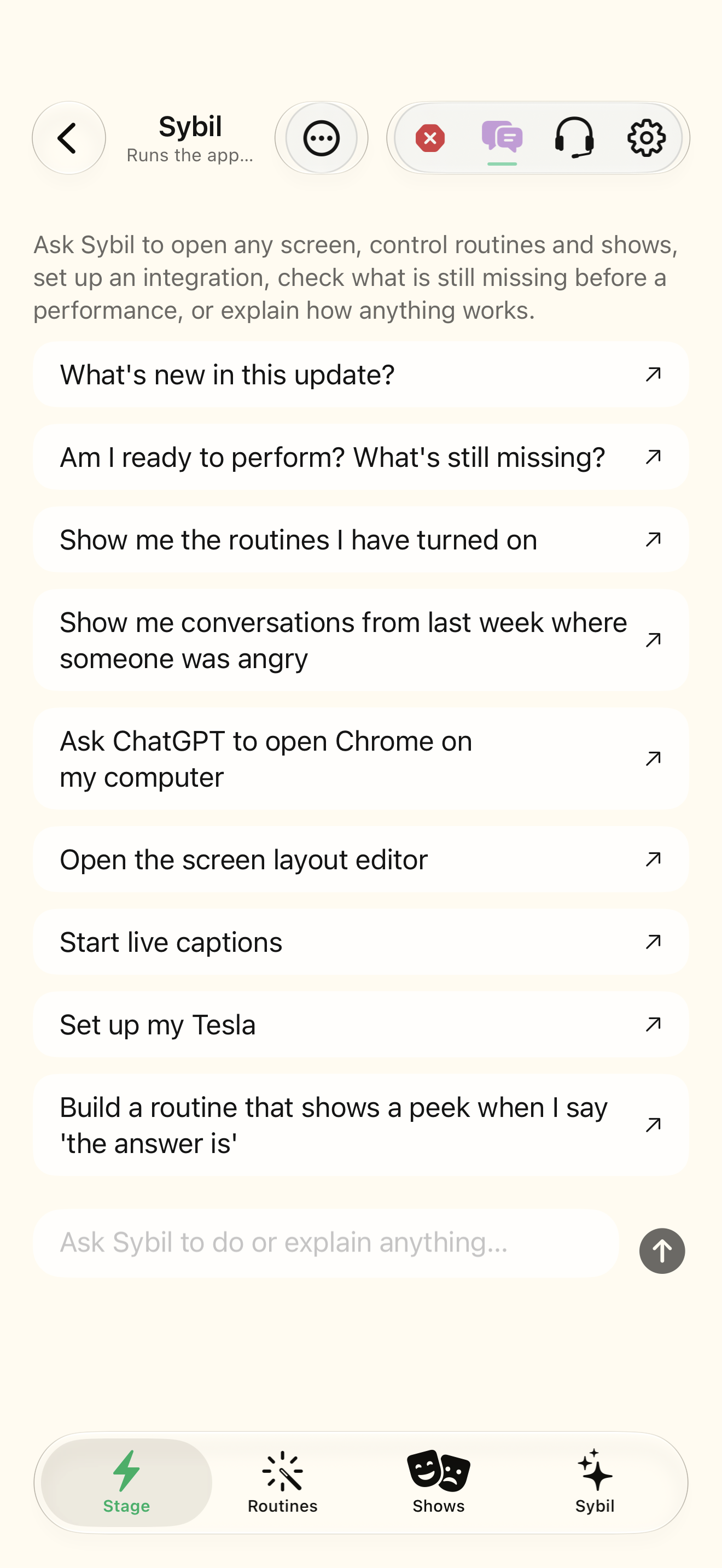
Complete AI setup and choose an available processing route. Voice input also needs microphone access.
In-app Sybil combines app knowledge, context lookups, navigation, and supported actions. The website assistant explains the product but cannot access your app or operate it.
Choose the route
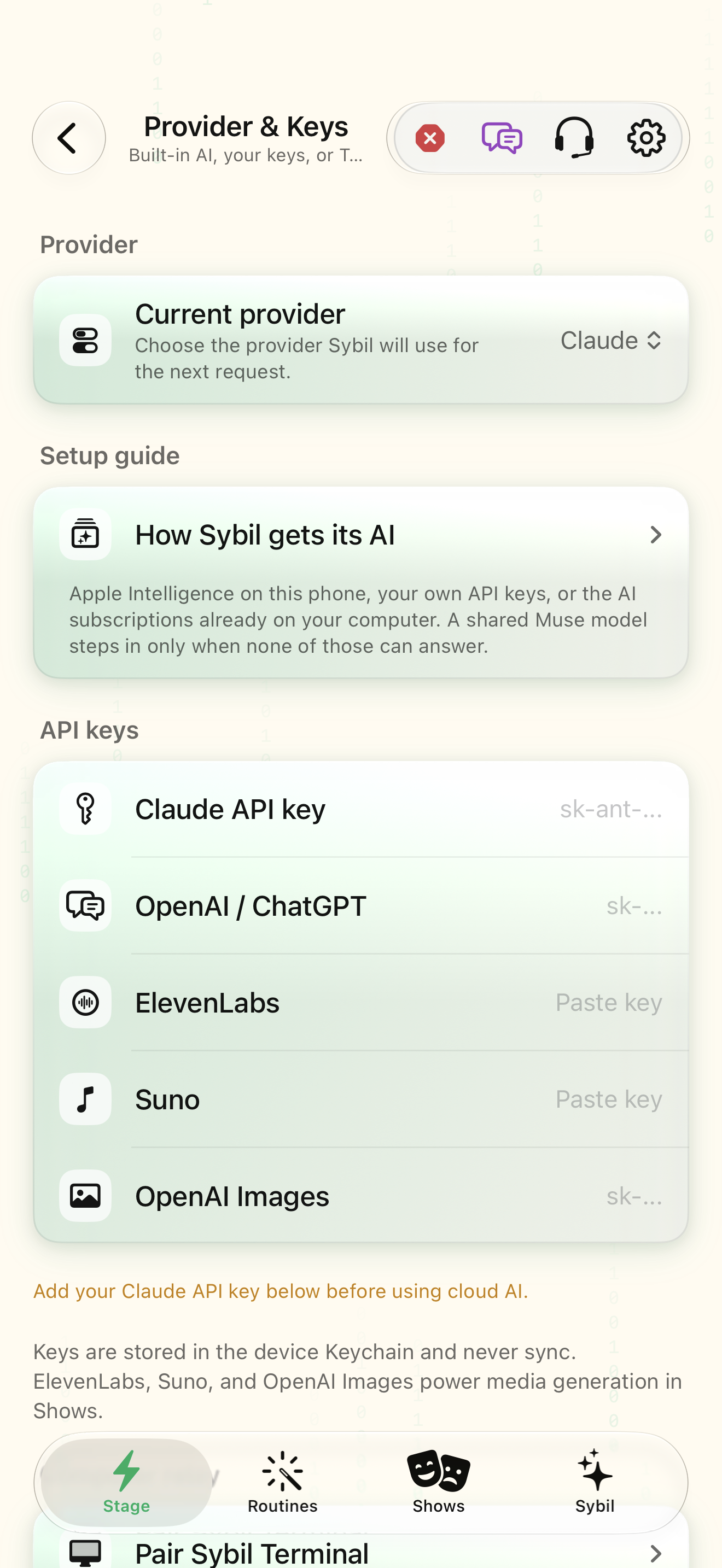
Open Sybil AI settings and inspect the active processing provider.
You know where the chosen request will run.
Select the highlighted control in the teaching view.
Practice at your own pace. You can also use Next step.
Sybil AI
Find Provider
Interactive HTML app view with sample data. Follow the outlined control, play the example, or explore at your own pace.
All steps, in writing
Choose the route
Open Sybil AI settings and inspect the active processing provider.
Expected: You know where the chosen request will run.
Ask about the app
Ask a focused question such as “How do I create a branch in a routine?”
Expected: The answer points to the relevant app feature.
Ask for retained context
Try “Find my conversations with prospects from last week” using sample records.
Expected: The result links back to retained conversations.
Request a supported action
Try opening a screen or adjusting a harmless display setting. Read any confirmation before proceeding.
Expected: The visible app state confirms the requested action.
If something differs
- An empty result does not prove a conversation never happened.
- A provider or entitlement may limit which tools are available in the current build.
Open the screen references
Based on SybilSight/Services/AppAgent/AppAgentToolbox.swift and the app help catalog. Edition, device, and build affect available controls.