
Choose formulas, lookups, rules, or AI
Use the simplest processing that produces the result you need.
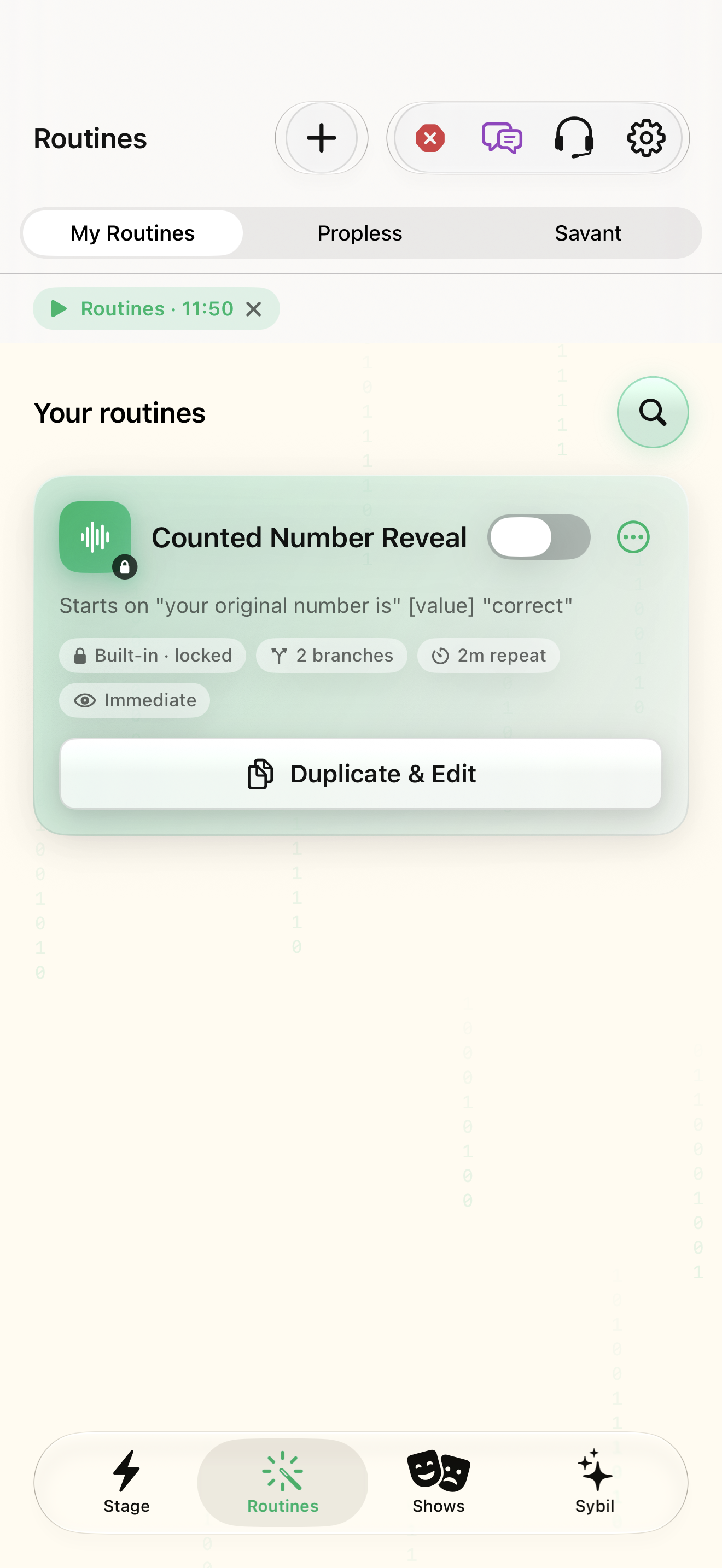
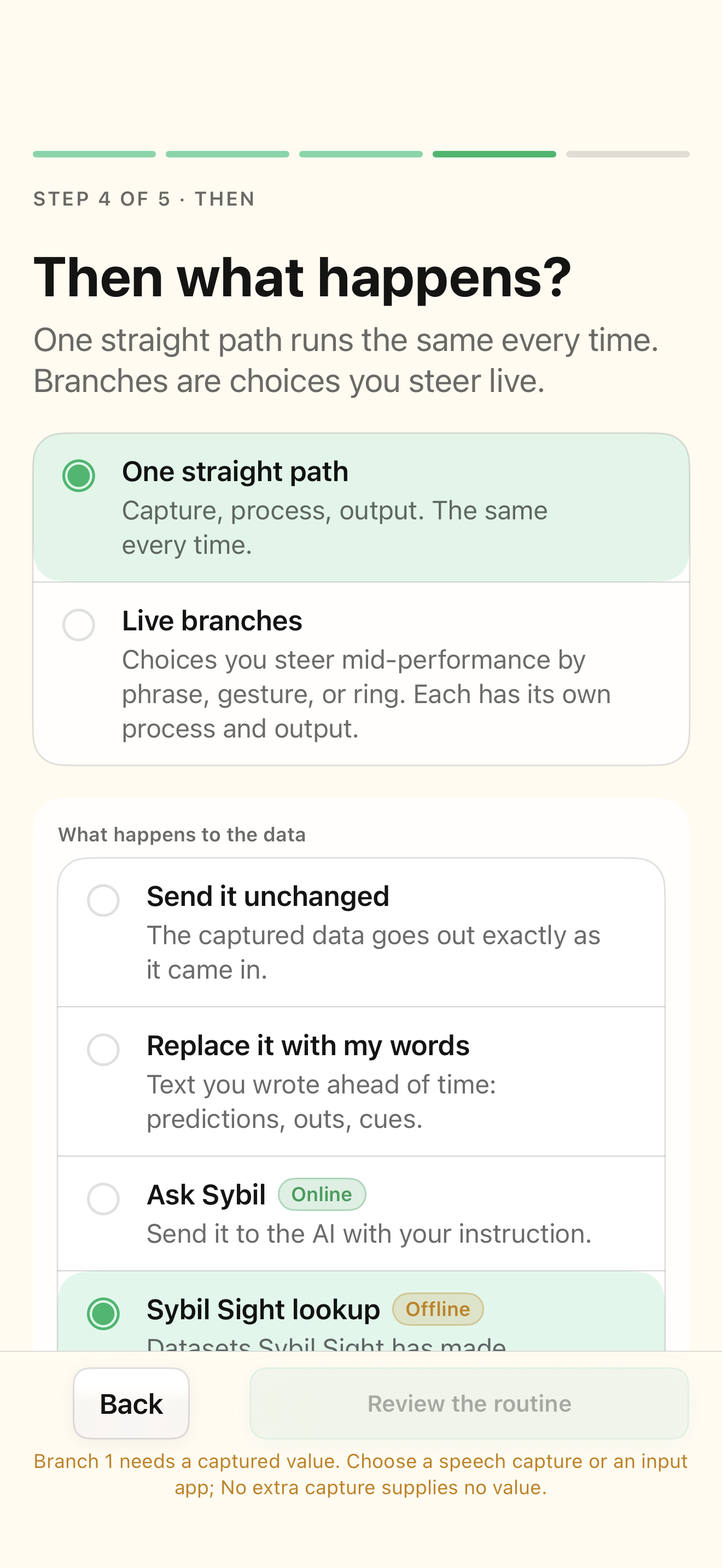
A sample input and a routine action to edit.
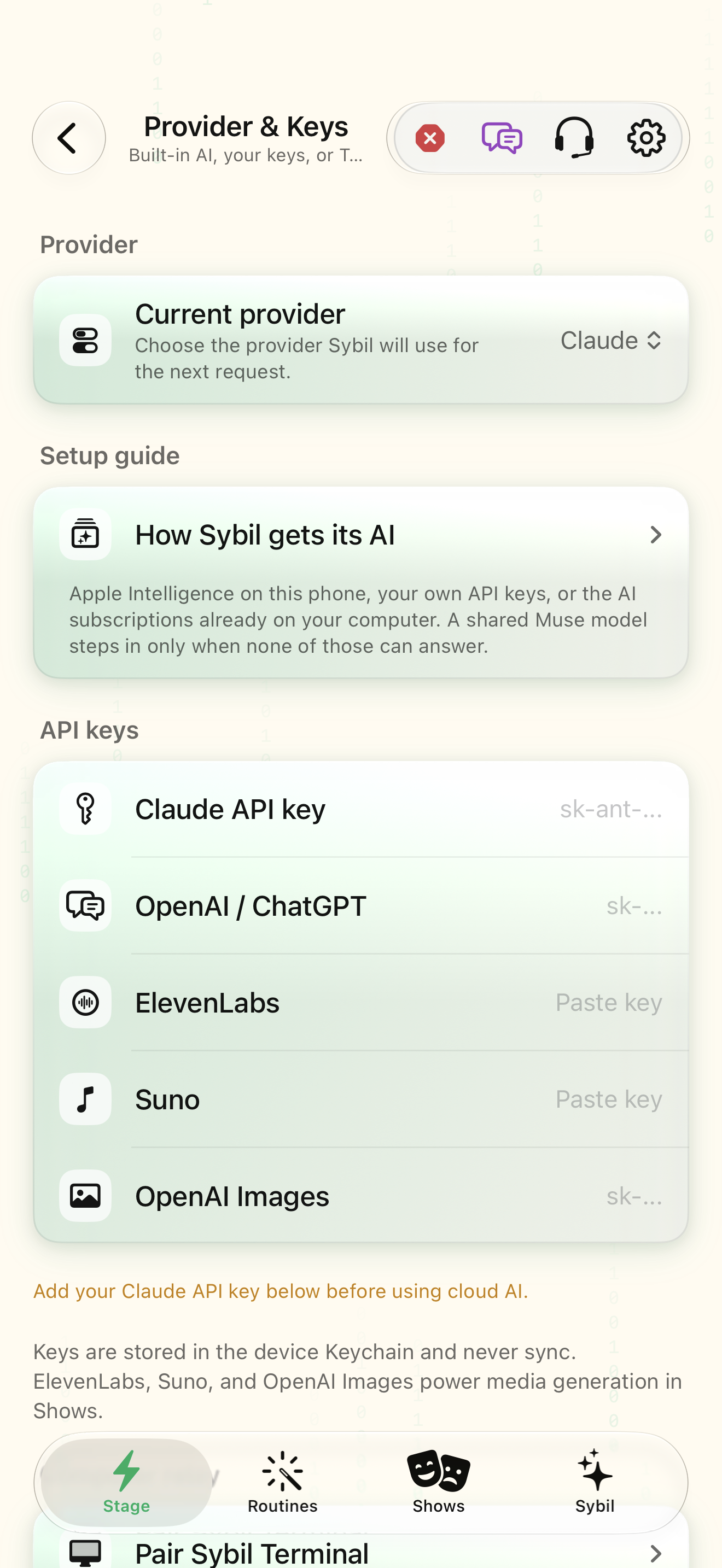
Deterministic formulas and ordered rules can run locally. AI processing depends on the configured route; the two have different predictability and data boundaries.
Identify the operation
Open The answer in the branch editor and decide whether you need fixed text, calculation, a lookup, or interpretation.
The processing choice fits the task.
Select the highlighted control in the teaching view.
Practice at your own pace. You can also use Next step.
The answer
Your routines
Find Formula
Interactive HTML app view with sample data. Follow the outlined control, play the example, or explore at your own pace.
All steps, in writing
Identify the operation
Open The answer in the branch editor and decide whether you need fixed text, calculation, a lookup, or interpretation.
Expected: The processing choice fits the task.
Configure sample processing
For a formula, use the supported value and anchor inputs. For a lookup, choose the source and key.
Expected: A known input produces a known result.
Order conditional rules
For multiple-out rules, place specific matches first and an otherwise rule last.
Expected: The first matching rule produces the intended result.
Inspect the real output
Rehearse with a matching, nonmatching, and empty sample. Inspect the selected destination.
Expected: You know the behavior when data is incomplete.
If something differs
- Without a matching rule or otherwise case, a rule-based action may show nothing.
- Check the active provider before sending routine context to AI.
Open the screen references
Based on SybilSight/Routines/BranchEditorView.swift and the app help catalog. Edition, device, and build affect available controls.