
Build, save, and assign a glasses layout
Give Dashboard, Shows, Routines, and Propless the arrangements they need.
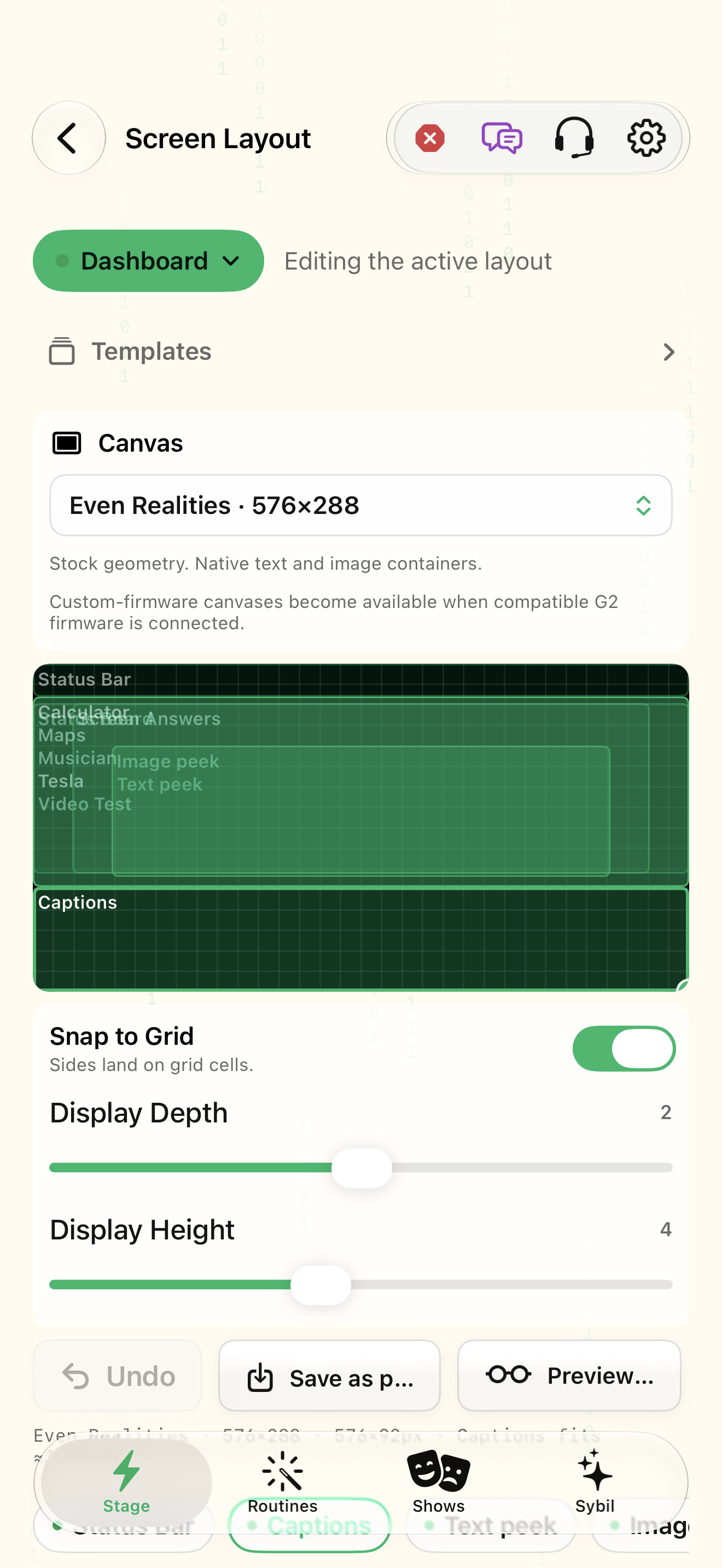
Compatible display or Preview Mode. Custom-firmware canvases appear only on a compatible connected G2.
The editor changes the selected mode’s region map. Shared placements, mode-specific overrides, presets, and transient full-screen fallback have distinct roles.
Editing the active layout
Choose Edit layout for: Dashboard, Shows, Routines, or Propless. Check whether this is the currently live mode before editing.
You are changing the intended layout, even when another mode is live.
Select the highlighted control in the teaching view.
Practice at your own pace. You can also use Next step.
Screen Layout
Canvas
Find Editing the active layout
Interactive HTML app view with sample data. Follow the outlined control, play the example, or explore at your own pace.
All steps, in writing
Editing the active layout
Choose Edit layout for: Dashboard, Shows, Routines, or Propless. Check whether this is the currently live mode before editing.
Expected: You are changing the intended layout, even when another mode is live.
Templates
Apply a starting template such as status at top with captions at bottom. A template replaces the layout arrangement; compare before applying.
Expected: The initial regions are deliberate and leave room for the primary content.
Canvas
Select an app. Drag to draw or adjust its region, or choose Full screen, Top half, Bottom half, Left half, or Right half. Use Snap to Grid for alignment.
Expected: The app’s bounds match the space it needs.
Snap to Grid
Inspect Frame style and shape where needed. Filled frames use the image budget along with slide previews and image peeks.
Expected: Decoration does not crowd the content or consume unexpected image capacity.
Save as…
Save a named preset and assign it to the mode. Removing a fixed placement can allow temporary full-screen output when that app has content.
Expected: The saved name and assignment make the layout reusable.
Preview
Preview on connected glasses and adjust display depth, height, and brightness. Rehearse transient peeks and captions together.
Expected: The arrangement is comfortable on the actual lenses, not just the phone.
If something differs
- A different live mode can explain why the edited layout is not currently visible.
- Stock displays have bounded text/list and image slots. Keep simultaneous surfaces deliberate.
- A high-priority transient peek can temporarily displace an ambient board.
Open the screen references
Based on SybilSight/UI/DisplayRegionEditorView.swift and the app help catalog. Edition, device, and build affect available controls.