
Build your first routine
Turn a deliberate cue into a useful private result, with a sequence you understand.
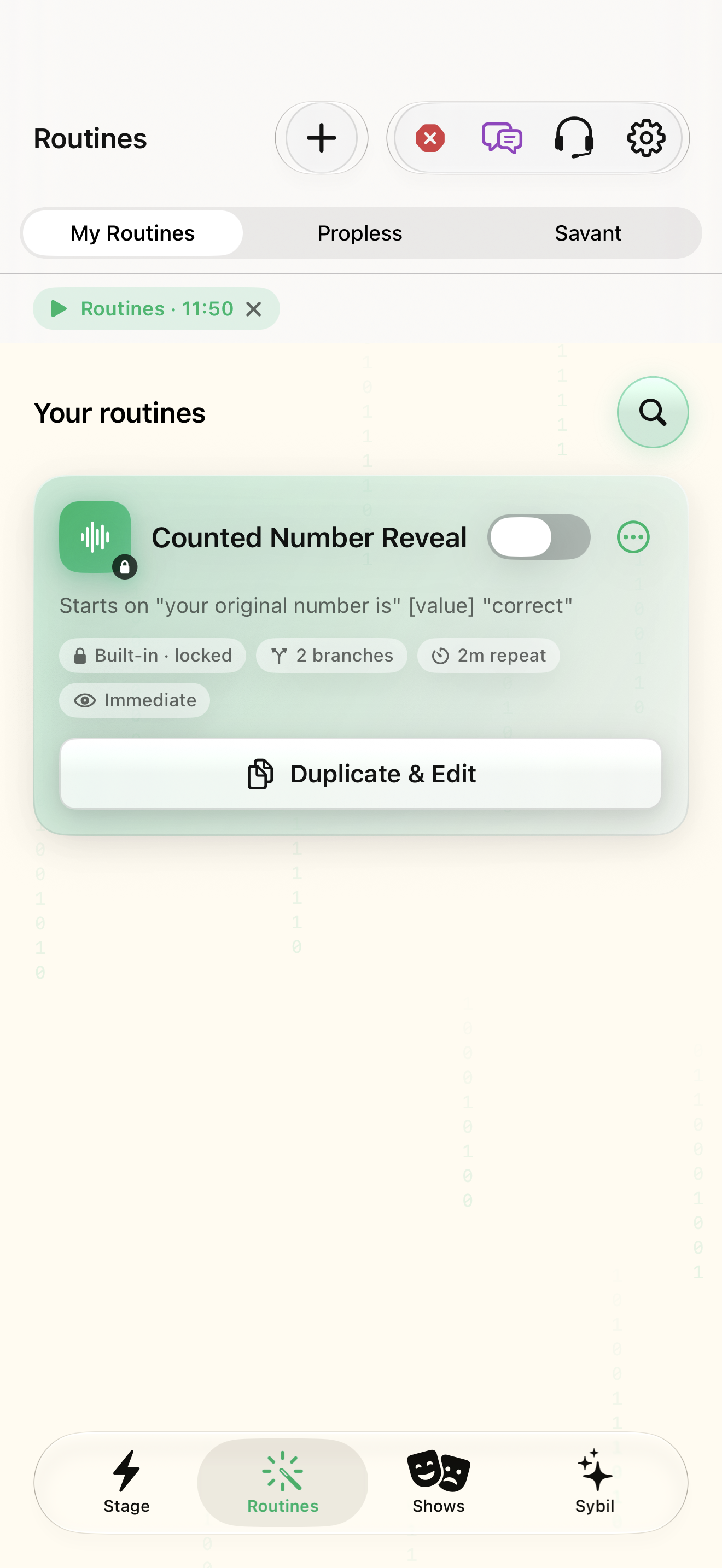
A routine-enabled edition; a harmless sample phrase and sample result. Pair the display you plan to use.
The five-step builder separates the trigger, first display, captured data, next action, and readiness review. Saving a draft and arming it are separate decisions.
Start in Routines
Open the Routines workspace and choose New routine. Starts opens first; enter the routine name later in Review.
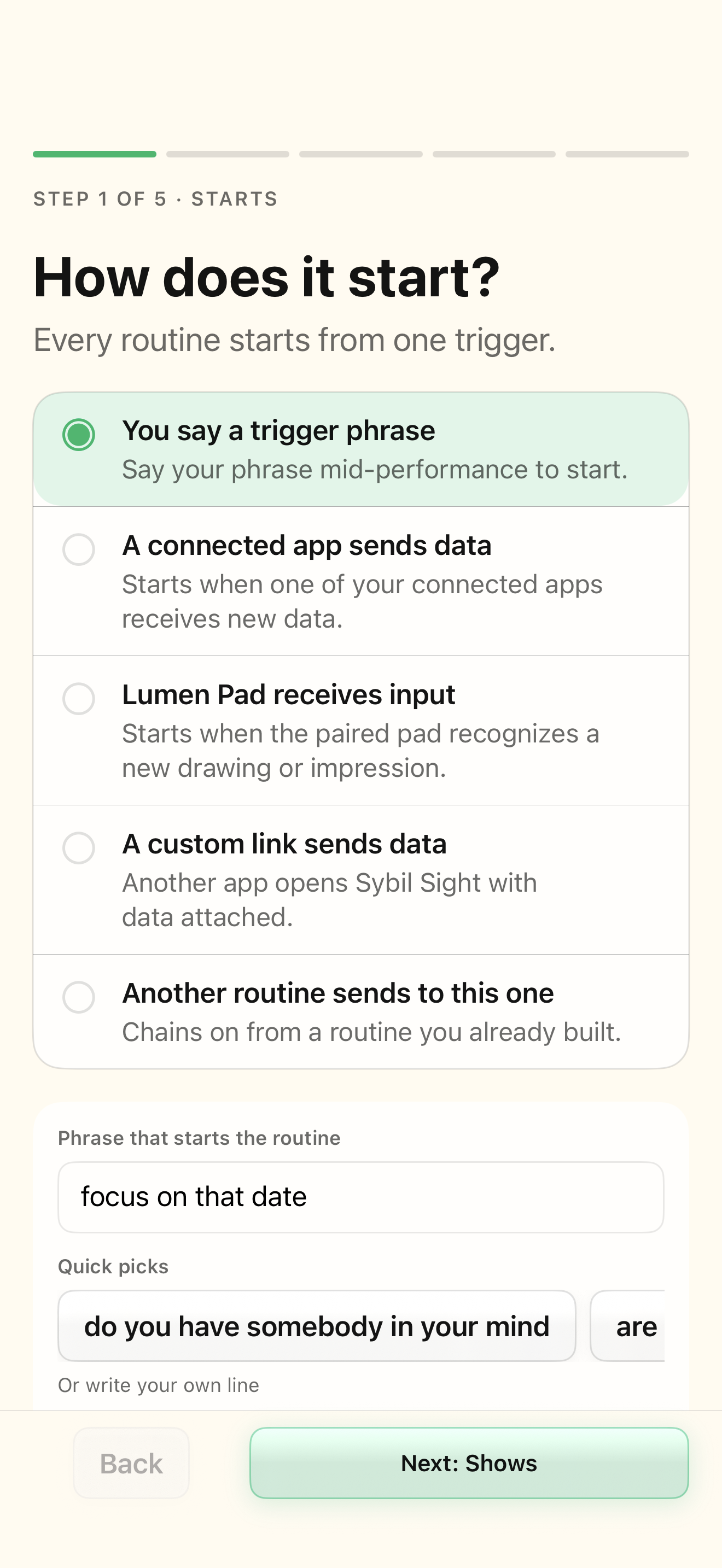
The builder opens with five named steps.
Select the highlighted control in the teaching view.
Practice at your own pace. You can also use Next step.
Routines
Your routines
Find New routine
Interactive HTML app view with sample data. Follow the outlined control, play the example, or explore at your own pace.
All steps, in writing
Start in Routines
Open the Routines workspace and choose New routine. Starts opens first; enter the routine name later in Review.
Expected: The builder opens with five named steps.
Choose the start
In Starts choose You say a trigger phrase and enter a distinct phrase in Phrase that starts the routine. Connected app, Lumen Pad, custom link, and chained starts have their own setup.
Expected: You can say what event starts this routine.
Decide what appears
In Shows choose Pre-written text or crib for a fixed practice cue. Choose Right away, On a phrase, Look down, or Ring press for its timing. This is the initial display, not the later processed output.
Expected: You know whether the result appears immediately or is held.
Decide what to capture
In Captures choose No extra capture only for a routine that needs no new working value. For speech after the start, choose Everything until a closing phrase and configure that closing phrase.
Expected: The input needed by the next action is explicit.
Choose the next action
In Then choose One straight path and select both process and output. Send it unchanged passes a captured value; Custom formula needs a formula and a valid input; Show on glasses chooses the destination.
Expected: A single input has a clear route to a result.
Review before arming
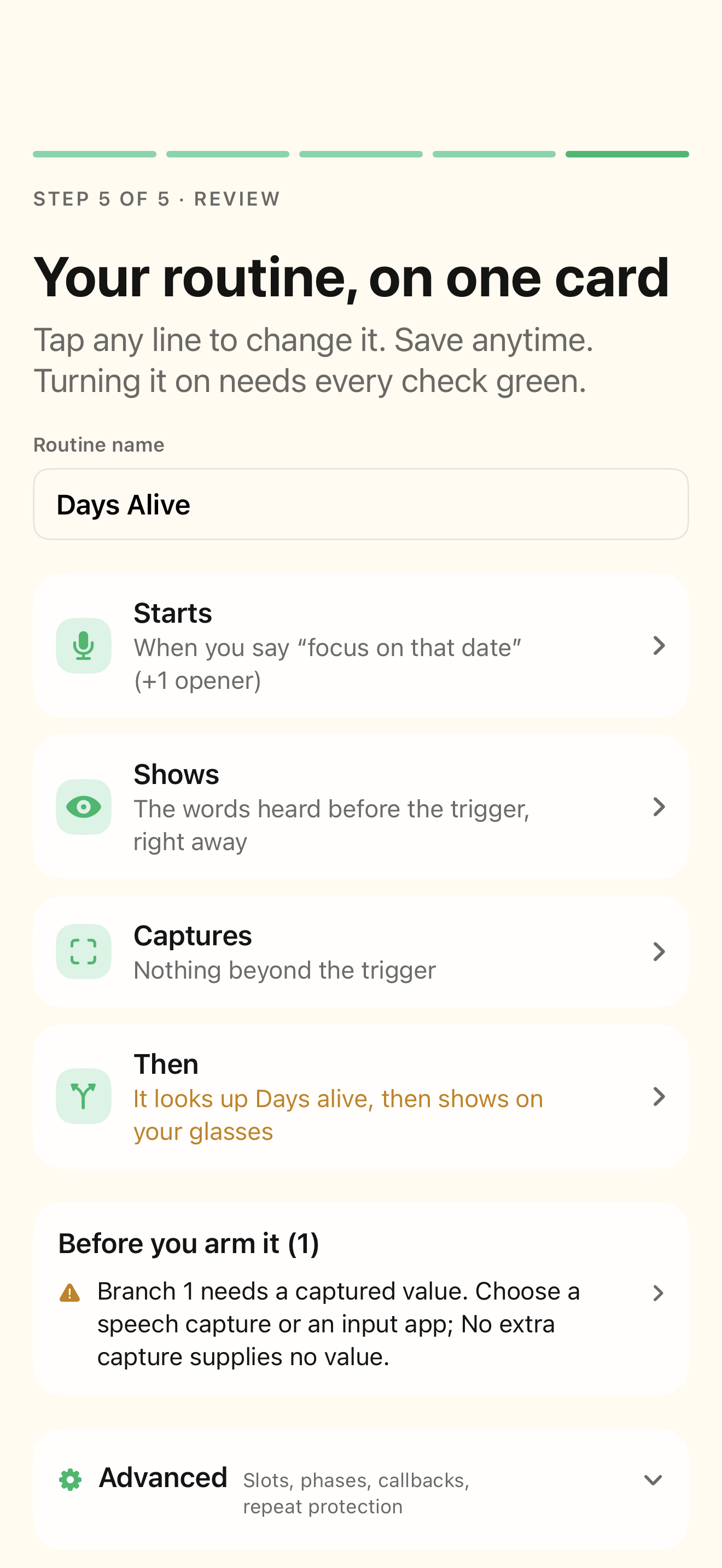
In Review enter Routine name, inspect the Starts / Shows / Captures / Then summaries, and resolve readiness checks. Use Rehearse capture, calculation, and output; Save routine with the routine off until you are ready to arm it.
Expected: The saved routine has no unexplained setup gap.
If something differs
- Needs setup: open the readiness item and correct its owning field.
- A ready definition still needs a working microphone, provider, integration, and wearable when those are part of the routine.
- For a complete worked example, follow Build and rehearse a date-to-number routine in the handbook.
Open the screen references
Based on SybilSight/Routines/RoutineBuilderView.swift and the app help catalog. Edition, device, and build affect available controls.